
 8
8  25
25  1
1 Touchscreen not working after replacement
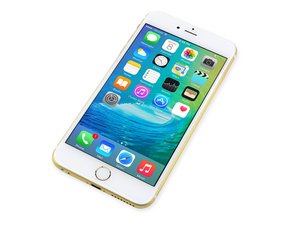
So I had someone come to me with a replacement part to out on their iphone 6s plus.
Done the usual, ground myself out, remove battery connection. Removed the screen, plugged in new one, tested and worked fine.
Assembled everything from old screen to new, closed it up, powered on, and touchscreen isn't working.
So tested the old one, and that also didn't work.
Reset via Home/power and still the same.
Cleaned with isopropyl and checked for knocked off chips in the area.
I have no ideas left, so wondered if you guys have anything else for me?
Cheers.


4 件のコメント
take HQ pictures of the area of the connectors and the back of the screen.
_Z_ さんによる
I don't have the phone with me at the moment. He's insisting taking it to Apple now.
I wouldn't think to check the back of the screen as the original one when plugged back in didn't work either?
Done the same thing over and over again carefully since the 3gs came out without problems. Now this!
If I manage to get the phone back, I'll take some pictures.
Duane さんによる
Does the screen display an image with no backlight you will need to look at the screen at an angle to see it maybe flashlight will help or be detected by iTunes on computer? This question is crucial as it can tell you what may be damaged logic board wise.
Ben さんによる
It's Litterally just the touch function that's stopped working.
LCD itself is fine, so no issue with backlight.
I always unplug batteries before removing any component.
Duane さんによる