はじめに
このガイドを使用して、iMac Intel 27インチ Retina 5K Displayのメモリの取り外し、交換、またはアップグレードを行ってください。
必要な工具と部品
-
-
-
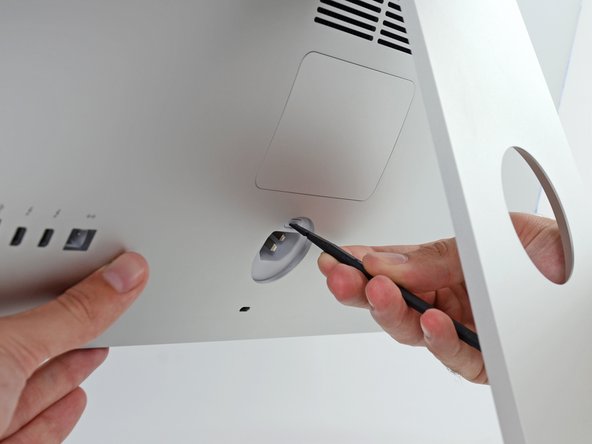
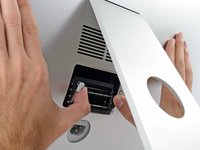
タブを外側に押してRAMから離して、親指または人差し指でトレイのロックを解除します。
-
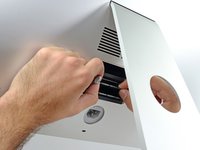
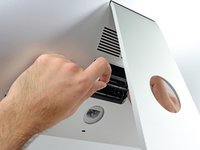
タブを上下に引っ張って、RAMトレイを水平に近い位置までスイングさせます。
-
-
-
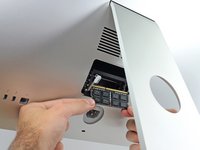
RAMのスティックを両手でつかみ、RAMトレイからまっすぐ引き出して取り外します。
-
新しいモジュールを取り付けるには、モジュールをトレイ上の所定のスロットに挿入し、しっかりと押し込みます。 トレイが所定の位置に収まるまで押してください。
-
RAMアクセスドアを元の場所に戻してください。
-





e-wasteを処理する場合は、認可済みリサイクルセンターR2を通じて廃棄してください。
修理が上手く進みませんか?ベーシックなトラブルシューティングのページを参照するか、アンサーコミュニティに尋ねてみましょう。
116 の人々がこのガイドを完成させました。
以下の翻訳者の皆さんにお礼を申し上げます:
100%


これらの翻訳者の方々は世界を修理する私たちのサポートをしてくれています。 あなたも貢献してみませんか?
翻訳を始める ›



22件のガイドコメント
At the end: "To reassemble your device, follow these instructions in reverse and use our adhesive strip replacement guide to reattach the display glass."
This does not make sense for a memory replacement guide.
I made a few changes to the guide to make it more readable. Thanks for the tip!
I am thinking about getting me an iMac 5K but not really interested in overpaying for my RAM - can I access all 4 slots in the newest iMac 5K so I could buy the entry level with 8GB and then upgrade it to 32GB myself?
Yes, but make sure they are the same frequency so there won't be any issues. (1867)
vsomme -
