メインコンテンツにスキップ

Roborock Q5 Max Plus Battery Replacement

必要な工具と部品

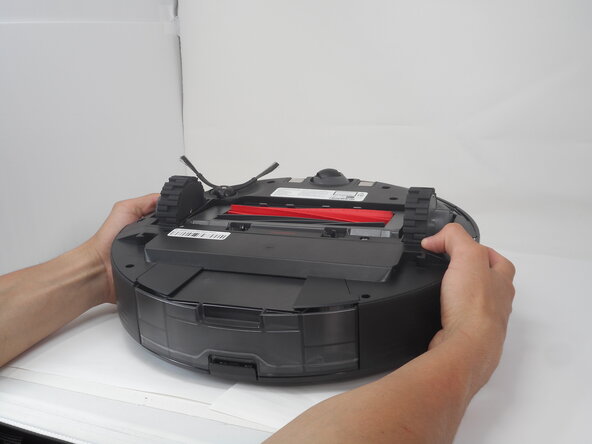
  1. Roborock Q5 Max Plus Battery Replacement, Side Brush: 手順 1、 2の画像 1 Roborock Q5 Max Plus Battery Replacement, Side Brush: 手順 1、 2の画像 2
    • Carefully flip the Roborock upside down on a soft surface (e.g., towel) to avoid scratches.

    • Turn off the vacuum using the main switch underneath.

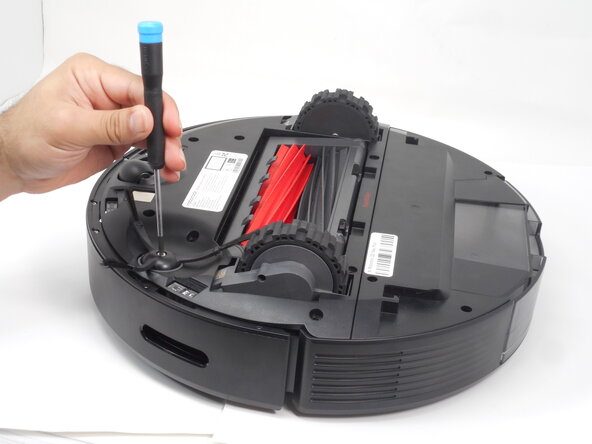
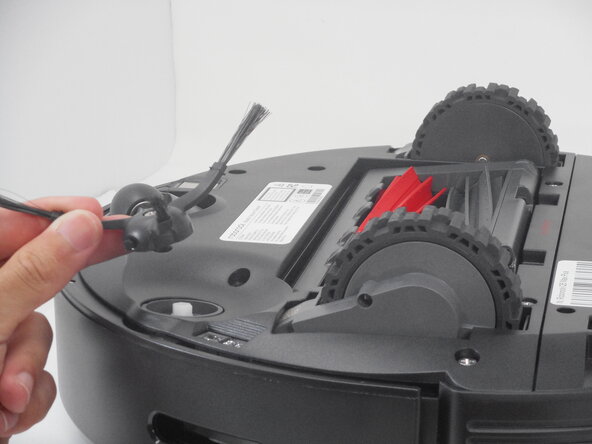
  2. Roborock Q5 Max Plus Battery Replacement: 手順 2、 3の画像 1 Roborock Q5 Max Plus Battery Replacement: 手順 2、 3の画像 2 Roborock Q5 Max Plus Battery Replacement: 手順 2、 3の画像 3
    • Hold down the side brush with one hand to prevent it from moving.

    • Use a Phillips #1 screwdriver to remove the single screw securing the side brush.

    • Remove it from the base.

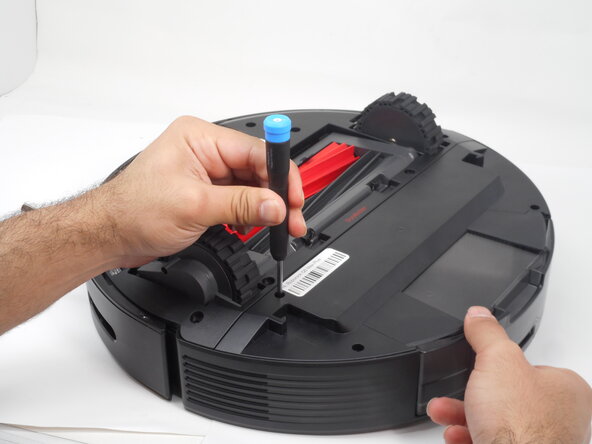
  3. Roborock Q5 Max Plus Battery Replacement, Bottom Panel: 手順 3、 2の画像 1 Roborock Q5 Max Plus Battery Replacement, Bottom Panel: 手順 3、 2の画像 2
    • Use a Phillips #1 screwdriver to remove the eight 14 mm screws that secure the bottom shell.

  4. Roborock Q5 Max Plus Battery Replacement: 手順 4、 1の画像 1
    • Gently lift the the bottom shell up and off.

    • If you encounter resistance, double-check for any hidden screws that may have been overlooked.

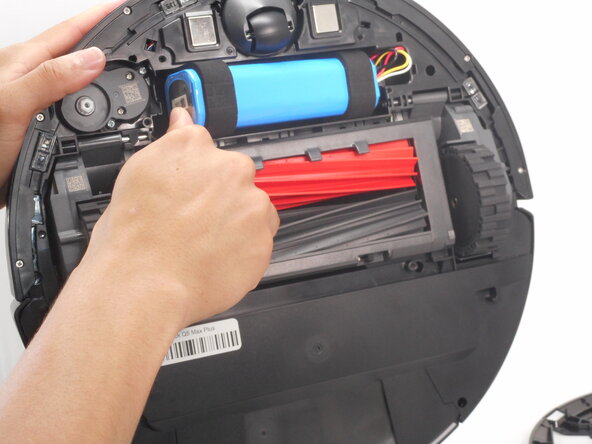
  5. Roborock Q5 Max Plus Battery Replacement, Battery: 手順 5、 3の画像 1 Roborock Q5 Max Plus Battery Replacement, Battery: 手順 5、 3の画像 2 Roborock Q5 Max Plus Battery Replacement, Battery: 手順 5、 3の画像 3
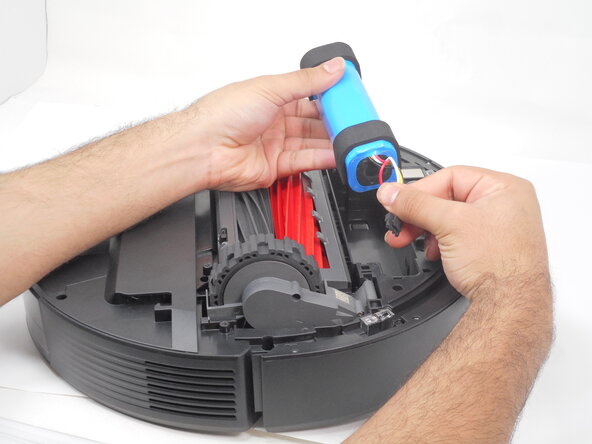
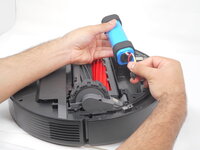
    • Carefully pry out the battery and remove it from its housing.

    • Don't fully remove it as its still connected to the vacuum.

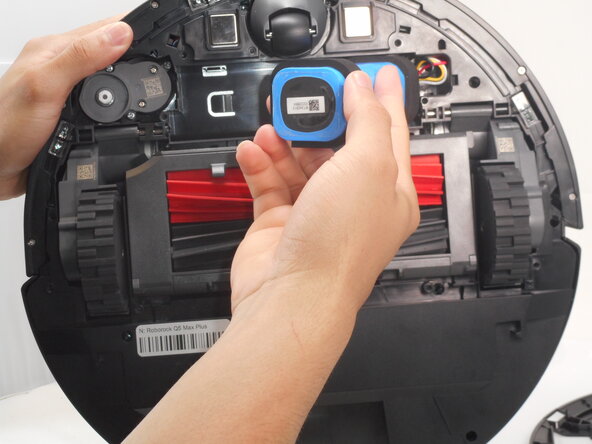
  6. Roborock Q5 Max Plus Battery Replacement: 手順 6、 3の画像 1 Roborock Q5 Max Plus Battery Replacement: 手順 6、 3の画像 2 Roborock Q5 Max Plus Battery Replacement: 手順 6、 3の画像 3
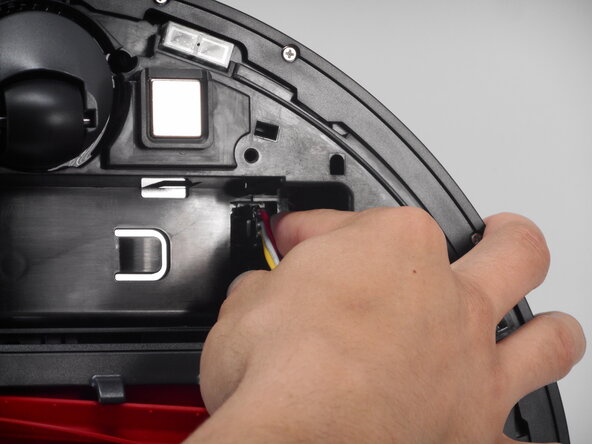
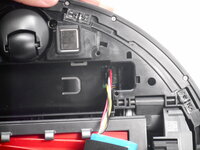
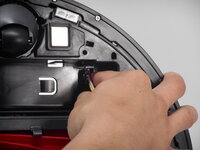
    • Carefully press on the side tab of the connector to release the latch, then pull the connector straight up and out of its port.

終わりに

To reassemble your device, follow the above steps in reverse order.
Take your e-waste to an R2 or e-Stewards certified recycler.
Repair didn’t go as planned? Try some basic troubleshooting or ask our Answers community for help.

作成者

3人の作成者と共同で作成されました。

Fernando Rivera

メンバー登録日: 02/19/25

408 ポイント

4のガイドは作成済み

チーム

University of Memphis, Team 3-1, Sneed Spring 2025 University of Memphis, Team 3-1, Sneed Spring 2025人のメンバー

UM-SNEED-S25S3G1

4 メンバー

5のガイドは作成済み

0件のガイドコメント

コメントを追加

統計データ:

過去 24時間: 3

過去 7 日: 14

過去 30 日: 38

今までの合計 306