はじめに
If your floor fan is not spinning properly or making unusual noises, this guide will help you repair it by replacing the rotor. A damaged rotor can cause reduced airflow, overheating, or complete fan failure. Before starting, check for any loose screws, dust buildup, or obstructions in the blades. Make sure to unplug the fan before beginning the repair process.
Unplug the fan from any power source before starting the repair to avoid electric shock.
Some internal components may have sharp edges. Handle parts carefully to prevent injury.
必要な工具と部品
-
-
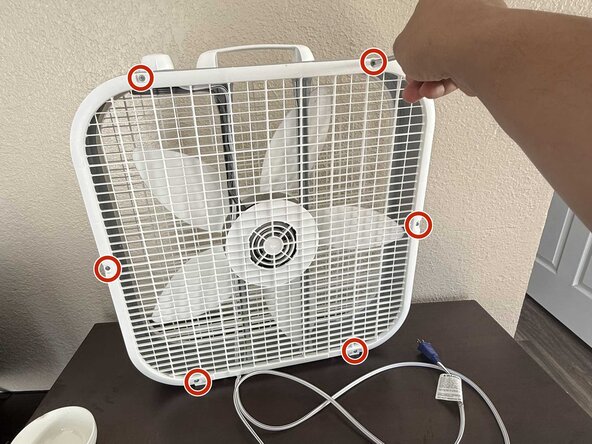
Remove the six 1.5 mm Phillips #1 screws on both sides of the fan.
-
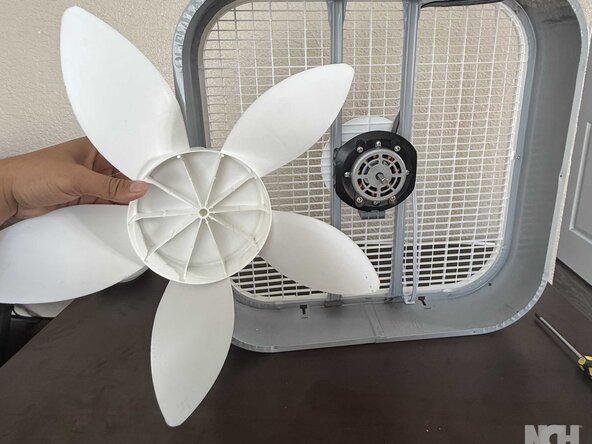
Gently push both side covers upward while applying light pressure to remove the fan guard.
-
-







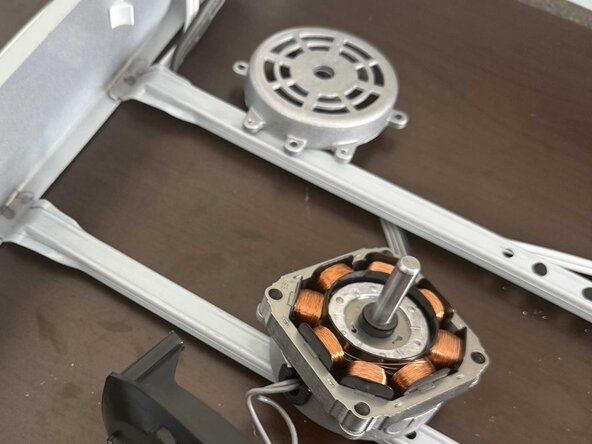


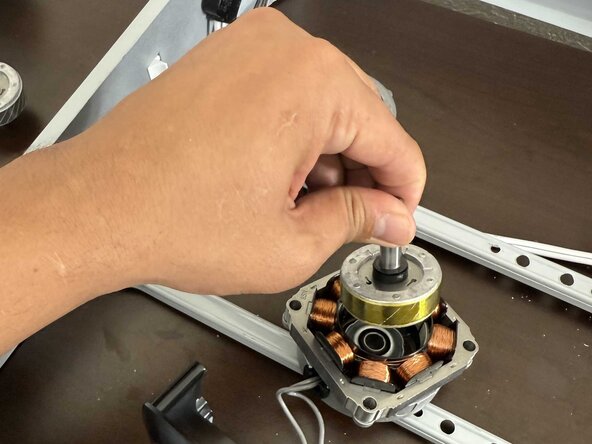


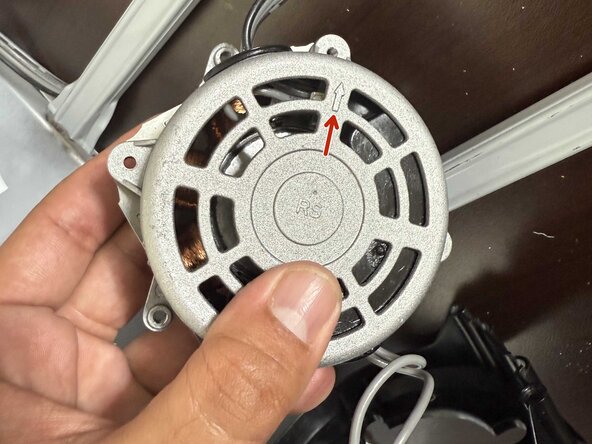


To reassemble your device, follow the above steps in reverse order.
Take your e-waste to an R2 or e-Stewards certified recycler.
Repair didn’t go as planned? Try some basic troubleshooting or ask our Answers community for help.
Double-check that all screws are securely fastened. Plug in the fan and test it to ensure smooth operation. If the fan does not function properly, inspect the assembly and make sure all parts are correctly aligned and secured.
ある他の人がこのガイドを完成しました。


チーム

