必要な工具と部品
-
この手順で使用する道具:Tweezers$4.99
-
First, slide the wristband down on the spring bar to expose the shoulder of the spring bar.
-
Grasp the exposed shoulder with the tweezers to perform the next step.
 FixBotに聞いてみる
-
-
-
Use the tweezer to depress the spring bar so that it collapses by a few millimeters and pops out of the hole that was holding it in place.
-
Now carefully pull the other end of the spring bar to detach the wristband from the watch face.
-
-
-
Use the T5 Torx screwdriver to unscrew the four silver 2mm x 3mm T5 screws that hold the back cover in place.
-
-
-
-
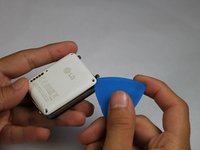
Slide the opening pick between the rear case and the rest of the device to separate the two halves.
-
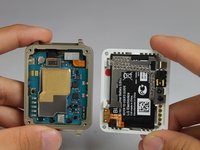
Gently pull the two halves apart.
-
-
この手順で使用する道具:Tweezers$4.99
-
Use a pair of tweezers to remove the gasket that lies embedded in a groove that runs around the perimeter of the front half.
-
-
-
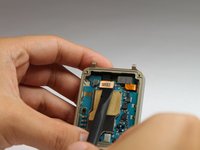
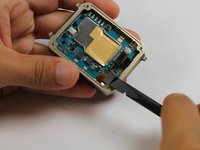
Use the spudger to gently lift up and disconnect the display connector.
-
Now use the spudger to disconnect the digitizer connector.
-
-
-
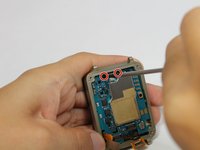
Use a Phillips #000 screwdriver to remove the two black PHO 2.5mm x 3mm screws.
-
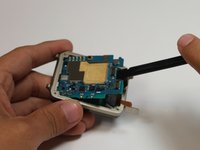
Use the spudger to gently remove the motherboard.
-
-
-
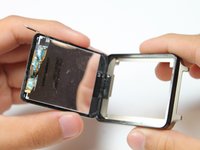
Apply a small amount of pressure to the back of the LCD to create a gap for the opening pick.
-
Gently work the pick around the perimeter of the device to loosen up the adhesive.
-
-
-
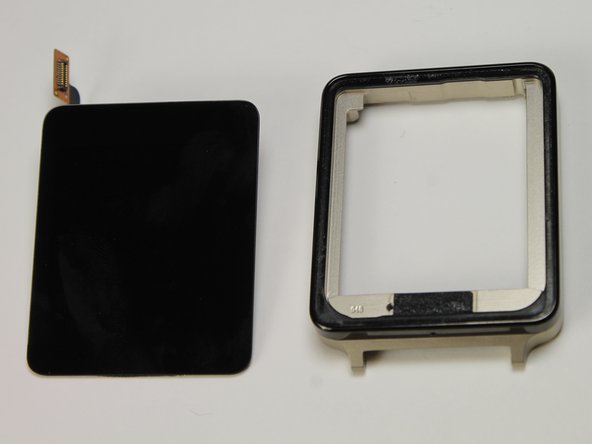
After using the pick to loosen the adhesive, simply pull the display assembly up from the metal bezel.
-








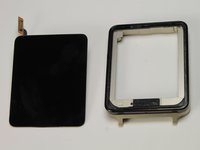
To reassemble your device, follow these instructions in reverse order.
3 の人々がこのガイドを完成させました。

チーム

USF Tampa, Team 2-5, Blackwell Fall 2014 USF Tampa, Team 2-5, Blackwell Fall 2014人のメンバー
USFT-BLACKWELL-F14S2G5
5 メンバー
9のガイドは作成済み
4件のガイドコメント
Where can you purchase replacement parts?
Someone knows where to find a screen replacement?, i found at alibaba but i have to buy 1k ... :(
I found a 00 screwdriver was better than 000 for removing the motherboard.
Peter Jeremy - 返信 共有
Be smart buy a used one for nuthin on eBay….
jeromedaues - 返信 共有
