メインコンテンツにスキップ

Amazon Fire Max 11 Micro SD Card Replacement

必要な工具と部品

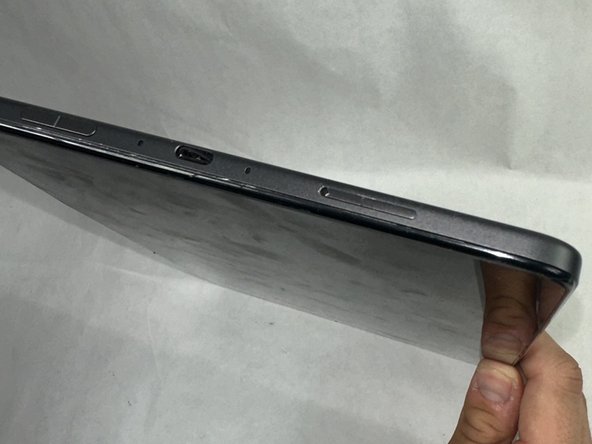
  1. Amazon Fire Max 11 Micro SD Card Replacement, Micro SD Card: 手順 1、 1の画像 1
    • Power off the device.

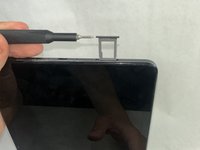
  2. Amazon Fire Max 11 Micro SD Card Replacement: 手順 2、 1の画像 1
    • Press a SIM card tray pin (or a paper clip if you do not have the pin) into the hole in the side of the SIM card tray to eject the tray.

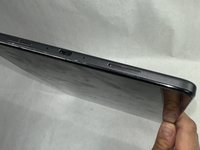
  3. Amazon Fire Max 11 Micro SD Card Replacement: 手順 3、 2の画像 1 Amazon Fire Max 11 Micro SD Card Replacement: 手順 3、 2の画像 2
    • Remove the existing SIM card from the device.

    • Place the new SIM card in the slot of the SIM card tray in the direction indicated on the card.

    • Close the SIM card tray.

終わりに

To reassemble your device, follow these instructions in reverse order. Take your e-waste to an R2 or e-Stewards certified recycler.

作成者

2人の作成者と共同で作成されました。

Anthony Martins

メンバー登録日: 03/18/24

522 ポイント

4のガイドは作成済み

チーム

UMass Dartmouth, Team 1-3, Konn Spring 2024 UMass Dartmouth, Team 1-3, Konn Spring 2024人のメンバー

UMASSD-KONN-S24S1G3

4 メンバー

4のガイドは作成済み

0件のガイドコメント

コメントを追加

統計データ:

過去 24時間: 2

過去 7 日: 9

過去 30 日: 48

今までの合計 776