メインコンテンツにスキップ

Amazon Echo Look Front Panel Replacement

必要な工具と部品

  1. Amazon Echo Look Front Panel Replacement, Front Panel: 手順 1、 1の画像 1
    • Ensure the device is completely powered off and disconnected from any power source by removing the charger adapter point from the back of the device.

  2. Amazon Echo Look Front Panel Replacement: 手順 2、 3の画像 1 Amazon Echo Look Front Panel Replacement: 手順 2、 3の画像 2 Amazon Echo Look Front Panel Replacement: 手順 2、 3の画像 3
    • If the device stand is attached, remove it by twisting the device's base toward yourself until detached.

  3. Amazon Echo Look Front Panel Replacement: 手順 3、 1の画像 1
    • Heat the front panel with an iOpener.

    • It may help to secure the iOpener to the device.

    • Heat the device for 5-10 minutes to loosen the glue.

    • CAUTION: The iOpener and the device may be hot.

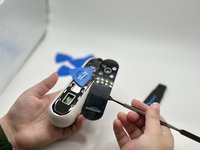
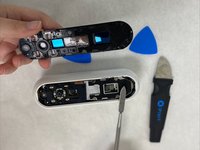
  4. Amazon Echo Look Front Panel Replacement: 手順 4、 3の画像 1 Amazon Echo Look Front Panel Replacement: 手順 4、 3の画像 2 Amazon Echo Look Front Panel Replacement: 手順 4、 3の画像 3
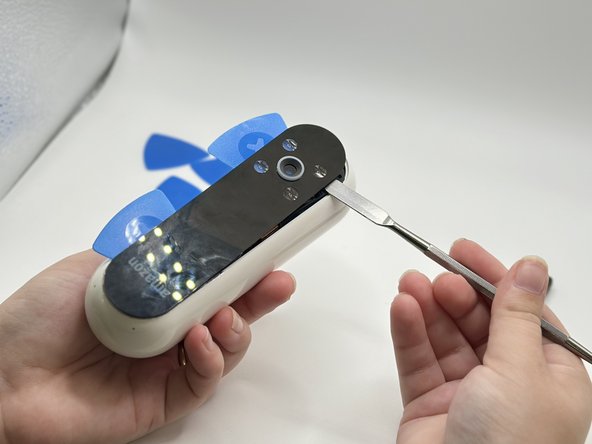
    • Lever the Jimmy between the screen and the device until an opening is formed.

    • Insert opening picks to hold the opening as needed.

    • Use a spudger to circle the border of the front panel and disconnect any lingering glue.

    • Step 3 may need to be repeated as Step 4 is time-sensitive.

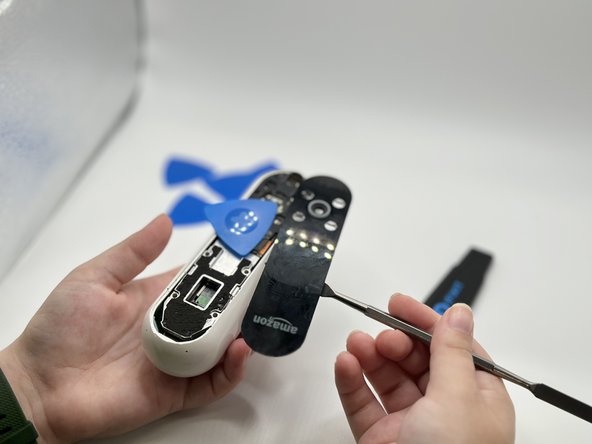
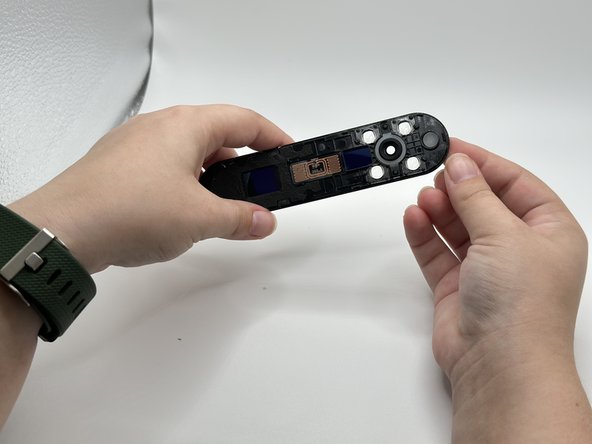
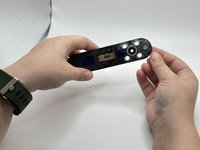
  5. Amazon Echo Look Front Panel Replacement: 手順 5、 2の画像 1 Amazon Echo Look Front Panel Replacement: 手順 5、 2の画像 2
    • Remove the front panel by levering the spudger at the top of the device.

終わりに

To reassemble your device, follow these instructions in reverse order.

ある他の人がこのガイドを完成しました。

作成者

3人の作成者と共同で作成されました。

Ryánn Gillen

メンバー登録日: 09/12/23

428 ポイント

3のガイドは作成済み

チーム

University of North Texas, Team 2-5, Harold Fall 2023 University of North Texas, Team 2-5, Harold Fall 2023人のメンバー

UNT-HAROLD-F23S2G5

4 メンバー

4のガイドは作成済み

0件のガイドコメント

コメントを追加

統計データ:

過去 24時間: 0

過去 7 日: 2

過去 30 日: 7

今までの合計 129