
メインコンテンツにスキップ

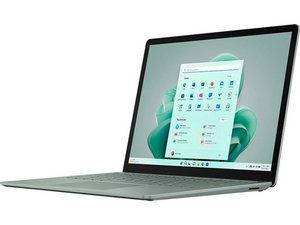
2022年10月に発表された第5世代Surface Laptopは、前モデルと同じボディを持ちながら、インテル第12世代プロセッサーを搭載し、バッテリー駆動時間が50%延長され、新色のセージが追加された。

No power unless I disconnect the keyboard and reconnect it

Hi all

My Surface Laptop 5 has a problem that means if I power it off, to start it back up I need to take the keyboard cover off, disconnect the ribbon cable which connects the keyboard unit to power, then put the ribbon back in and the cover back in place. Then the laptop turns on and I can use it.

Will getting a replacement keyboard cover fix this? This one specifically:

Surface Laptop 5 13.5" Top Cover and Keyboard - Genuine

Thanks!

Replace a damaged or malfunctioning upper case and keyboard for a Surface Laptop 5 with 13.5" display.の画像

製品

Surface Laptop 5 13.5" Top Cover and Keyboard - Genuine

$172.99

回答がありました! 回答を表示 同じ問題があります

この質問は役に立ちましたか?

スコア 0
コメントを追加

2件の回答

ベストアンサー

Ended up buying a replacement keyboard top and as expected, it fixed the issue.

このアンサーは役に立ちましたか?

スコア 0
コメントを追加
最も参考になった回答

It’s likely a power delivery or keyboard flex cable fault in your Surface Laptop 5. When the ribbon cable is reseated, it temporarily restores the connection, allowing the laptop to power on. Try these steps: update firmware and drivers, perform a hard reset (hold Power + Volume Up for 15 seconds), and check for debris or damage on the ribbon and connector. If the issue persists, the keyboard-deck assembly or power button circuit likely needs replacement. Visit a Microsoft Authorized Service Center.

このアンサーは役に立ちましたか?

スコア 1

1件のコメント:

thanks. I've done the updates, and when the machine is off, hard reset doesn't work (FYI, this is the Surface Laptop so there's no volume up/down buttons to do that, it works slightly differently). I'll take the cover off it again today and give inside a bit of a clean and see what that does.

Otherwise will purchase a replacement keyboard from Microsoft here in Australia.

さんによる

コメントを追加

回答を追加する

WeAllNeedToKnow さん、ありがとうございました!
統計データ:

過去 24時間: 0

過去 7 日: 14

過去 30 日: 27

今までの合計 27