メインコンテンツにスキップ

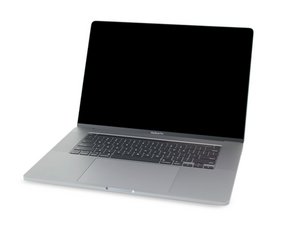
MacBook Pro 16インチの解体情報と修理ガイドです。2019年11月に発売されました。モデル番号はA2141とEMC3347です。

Weird: Battery won’t charge

So this story begins with me cracking the screen on my MacBook Pro. Being a handy engineering student on a budget, i sourced a used OEM screen off ebay for the replacement. When i removed the back cover, the first thing i did was remove the little battery ribbon cable, and then the main power connector from the battery.

I proceeded with the screen replacement with no issues. I reconnected the power cables, and put the cover back on.

Immediately i knew something was wrong because the machine would not turn on at all. I connected it to a charger, and it booted up and showed a battery error. It is reading battery percentage, and battery temperature, but refuses to charge the battery or run off the battery. Disconnecting the charger kills it instantly.

I took the cover back off to check the connections and also probed the main power connector and got 0.0 V. Absolutely nothing. Now here’s my question: does this observation pretty much ensure that the issue lies either in the battery or the battery daughterboard? I have heard that there is some internal circuitry in the batteries that prevent them from working under certain circumstances (i.e. if a fault is detected).

I decided to take the machine to a computer shop and get it looked at and just pay the diagnostic fee. The guy there told me he took the motherboard out and found no physical damage, so it must be the Power Management Unit, which requires the board to be sent off to get the chip replaced totaling around $320. This feels like a shot in the dark to me.

Upon sending it in to the shop, i felt positive he was just going to tell me it needs a new battery since it’s not putting out any voltage at all. Any advice for what to do?

この質問に回答する 同じ問題があります

この質問は役に立ちましたか?

スコア 0
コメントを追加

1 件の回答

最も参考になった回答

Sadly the chip is a common failure. It you have a good bench power supply you can recharge the battery to double check things. It’s also possible the BMC cable is damaged so the charging logic is not getting its inputs to know the batteries charge so it won’t charge.

このアンサーは役に立ちましたか?

スコア 1

6 件のコメント:

the BMC cable is fine, as the guy at the shop tried a different cable and it had the same issue. i'm mainly just trying to get an answer as to if the battery should be reading some kind of output voltage. I get absolutely nothing when i probe it; which seems to tell me that it's a battery issue, but i just don't know much about this kind of thing.

さんによる

@kuiperroerdink - If there is a short it could have drained the battery. Typically a new fresh battery has some power some where around 20% or so. But as you are using the original battery the charge level is unknown. But are you sure you are tagging the correct locations to measure from with you DVM?

さんによる

the computer is reading the battery percentage and temp just fine. it was at 14% when i did the repair (over a month ago) and has slowly drained to 6%. i only measured the voltage at the main hookups for the board (labeled + and -)and got nothing. i know there is a way to probe and read voltage for each individual cell, but im not able to find any resources on exactly what to probe for this machine.

さんによる

@kuiperroerdink - if that is the case then your charging logic has failed and as the system will slowly discharge the battery it will finally be flat.

さんによる

so should i start with a battery replacement before spending the $300+ on the board repair? i'm just confused because the guy at the shop said he seriously doubts that it is the battery.

さんによる

1以上のコメントを表示

コメントを追加

回答を追加する

Kuiper Roerdink さん、ありがとうございました!
統計データ:

過去 24時間: 0

過去 7 日: 11

過去 30 日: 67

今までの合計 67