メインコンテンツにスキップ
リペアコミュニティに参加 - アカウントの作成

1997年にラップトップコンピューター市場に参入したAcer。同時にTexas InstrumentsのモバイルPC部門を買収しました。

Computer keeps restarting after startup

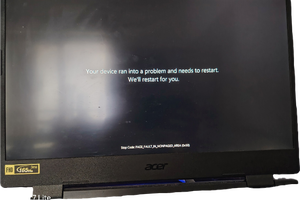
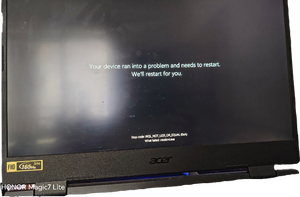
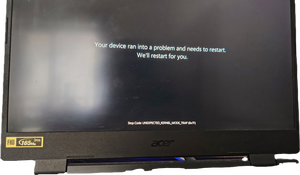
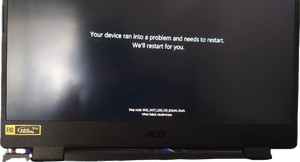
My computer must run a specific game after it is turned on in order to keep working properly. If I don't do this, it will automatically restart after a short period of time due to some kind of failure. If the restart is unsuccessful, it will restart continuously and enter the advanced options page. I chose to continue using Windows 11 to enter the computer desktop. However, if I don't do the above, the problem of automatic restart will occur again. This phenomenon occurred after I haven't turned on the computer for a month or two. My computer is an Acer NITR0 series AN515-46 personal notebook gaming computer.
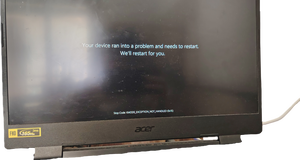
Block Image
Block Image
Block Image
Block Image
Block Image
この質問に回答する 同じ問題があります

この質問は役に立ちましたか?

スコア 0

1件のコメント:

Scan for viruses and I'd try uninstalling the game in question... weird behavior... suspicious behavior... I'd use more than one scanner if the first finds nothing. ESET offers a free online scan if you don't have one.

さんによる

コメントを追加

1 件の回答

@yongguanghu all of the stop codes "KMODE_EXCEPTION_NOT_HANDLED 0x1e" "page_fault_in_nonpaged_area (0x50)" "irql_not_less_or_equal (0xa)" "unexpected_kernel_error_mode_trap (0x7F)" commonly indicate a faulty or incompatibility hardware issue, most commonly caused with the RAM memory module. Other causes can include driver problems, malware, or even corrupted system files.

First thing to do would be to check your RAM and other hardware. Either pull your RAM, clean the contacts and/or replace your RAM. If you have multiple modules, you can try and swap those around or start with the minimum amount of RAM modules.

After that, check the solutions suggested by Microsoft about that particular error on here

このアンサーは役に立ちましたか?

スコア 0
コメントを追加

回答を追加する

yongguang hu さん、ありがとうございました!
統計データ:

過去 24時間: 0

過去 7 日: 1

過去 30 日: 14

今までの合計 80