メインコンテンツにスキップ

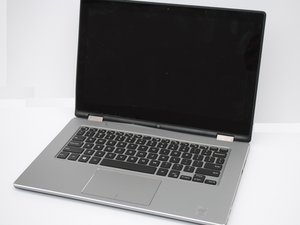
Repair and troubleshooting information for Dell Inspiron 7000 Series of 13" laptop computers.

Inspiron 13 7000 Series: No Driver for Network Adapter

I am working on a Dell Inspiron 13 7000 2-in-1, and it appears that the system cannot connect to Wifi. I had tried a restart and a network reset. The troubleshooter indicates that the network adapter is missing a driver, I am not sure how to proceed. No falls or other damage that I am aware of.

Thank you!

この質問に回答する 同じ問題があります

この質問は役に立ちましたか?

スコア 1
1件のコメント

This is running windows? Easiest solution is to connect to the internet with an ethernet cable and check for new drivers on the wifi chip that way. If there is no ethernet or the drivers are not working for that either you will have to either use a usb network adaptor or download the chips drivers on another device and transfer them via a CD/USB or similar method of transfer.

さんによる

コメントを追加

1 件の回答

最も参考になった回答

Hi @rmzigmund

If the WLAN adapter shown in Device Manager > Network adapters is an Intel 3165/7265 model, here are the latest Dell drivers for it.

Scroll down the page in the link and select Compatible Systems to view all the Dell Inspiron 13 7000 series laptops that use this driver.

Download the driver package to a remembered location i.e to download, either use the laptop's Ethernet connection and save in the laptop or copy the driver link's URL and use it in another device and save to USB.

When you have downloaded the drivers, in the laptop go to Device Manager > Network adapters > right click on the Intel 3165/7265 entry in the category > update drivers and follow the prompts.

To get to Device Manager in Win10/Win11, press the Win key + x key (both together) and click on the Device Manager link in the menu box

このアンサーは役に立ちましたか?

スコア 3

1件のコメント:

The Inspiron 13 7000 2-in-1 may also have the network driver: Qualcomm QCA9377 802.11ac wireless adapter.

さんによる

コメントを追加

回答を追加する

Robert さん、ありがとうございました!
統計データ:

過去 24時間: 0

過去 7 日: 11

過去 30 日: 50

今までの合計 206