
 5
5 Problem with drift in both sticks. Need help with diagnosis!
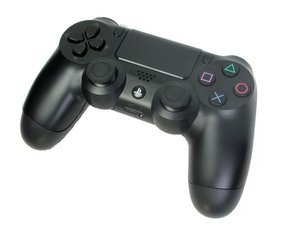
Hi!, I am trying to fix a dualshock 4 that has drift issues in both sticks. First, I tried to solve it cleaning them with no success, then I replace the inner rings of the potentiometers, same result, the issue persists. So, now I am going to do some soldering work. The point is, I do not know If only replace the whole 4 potentiometers or if I need to replace the whole joystick. I mean, how can I know if the drift issue comes from broken potentiometers or if the problem is the stick mechanism?. Apparently the stick is physically well centered in neutral position, the drift is noticeable only in certain games, like infamous second son. Others, like horizon zero dawn or days gone have not a so fine control and the game does not present any drift issue. I guess that the joystick dead zone in these games is bigger.
anyway, thanks in advance!
Edit: adding gamepad tester images

timestamp value is creasing constantly, some values of the axis are trembling. max value of axis 2 is 0,97, it does not reach value 1.
この質問は役に立ちましたか?

 10
10  7
7 
4 件のコメント
Do you have a USB cable and access to a computer?
If so, please load up a GamePad Tester (I prefer Joypad.ai, but there are many options out there) and test there to get your exact drift details.
It would be best if you screenshot the results. (iFixitでの質問に画像を追加する方法)
Justin Castle さんによる
@Justin Castle Hi!, I added the image. Thanks!
verjav さんによる
@verjav Thank you for that follow up. When you say "maximum value of axis 2 is 0.97" do you mean when you're moving the stick or when you don't touch it and it's just jittering randomly?
Justin Castle さんによる
Hi, I mean when I move the stick to its max in that axis direction (right stick to the right). What you see in the screenshot is the default neutral position in both sticks.
verjav さんによる