
メインコンテンツにスキップ

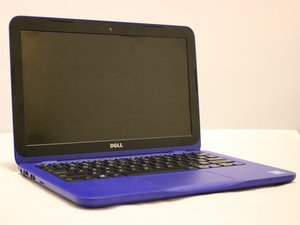
Blue, red or white 11" Dell Inspiron 11-3162 released on February 16, 2016.

Series of beeps when I power laptop on?

Beeping non stop when I power on laptop. How can I fix?

この質問に回答する 同じ問題があります

この質問は役に立ちましたか?

スコア 0
コメントを追加

1 件の回答

最も参考になった回答

Hi @kennethrharris

Two things to try and resolve the problem.

Perform a full power refresh and check it it now works OK

* Next disconnect the coin cell RTC battery from the motherboard.

  • Here's the service manual that may help with this. Go to p.14 and p.32 to view the procedures to disconnect the main battery and the coil cell battery, respectively from the motherboard.
  • Press and hold the laptop's power button for a full 30 seconds and then release it.
  • Reconnect the coin cell battery, reconnect the main battery, reassemble the laptop, connect the charger and check if it turns on OK.

Reseat the memory modules on the motherboard.

  • Disconnect the charger from the laptop (if connected) and then open the laptop and disconnect the battery cable from the motherboard.
  • Remove the memory module(s) from the motherboard. See p.21 of the service manual.
  • Reinsert the memory module(s) onto the motherboard.
  • Reconnect the main battery, reassemble the laptop, connect the charger and check if it turns on OK.

このアンサーは役に立ちましたか?

スコア 1
コメントを追加

回答を追加する

Kenneth R Harris さん、ありがとうございました!
統計データ:

過去 24時間: 0

過去 7 日: 3

過去 30 日: 13

今までの合計 87