
メインコンテンツにスキップ
リペアコミュニティに参加 - アカウントの作成

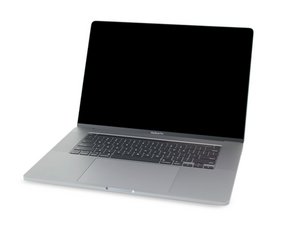
MacBook Pro 16インチの解体情報と修理ガイドです。2019年11月に発売されました。モデル番号はA2141とEMC3347です。

Replacement battery not recognized

I just replaced my battery in my 16-inch 2019 MBP. I've reset SMC and PRAM. Device only stays on while adaptor is plugged in. Coconut battery shows no battery installed. TG Pro shows fans running at max with nominal temps. Battery doesn't show up in control center. Is this a bad iFixit battery?

Block Image
Block Image
Block Image
回答がありました! 回答を表示 同じ問題があります

この質問は役に立ちましたか?

スコア 1
コメントを追加

1 件の回答

ベストアンサー

It sounds like the BMU cable is not connected or is damaged. Review Steps 10 - 14 in this guide MacBook Pro 16インチ 2019 バッテリーの交換. Make sure the ZIF connector latches are set and the ribbon cable is fully and squarely inserted.

If you need to replace the cable the Apple P/N is 923-03932 - BMU Flex Cable

このアンサーは役に立ちましたか?

スコア 0

2 件のコメント:

Looks like a damaged connector on the BMU cable, thanks for the help.

さんによる

@clnearing - Sometimes the latch comes off flying to the winds. See if you can find it as it’s easy to snap back on, otherwise you’ll need to get a replacement connector to steal the latch from to put on your systems connector.

さんによる

コメントを追加

回答を追加する

clnearing さん、ありがとうございました!
統計データ:

過去 24時間: 1

過去 7 日: 3

過去 30 日: 26

今までの合計 296
