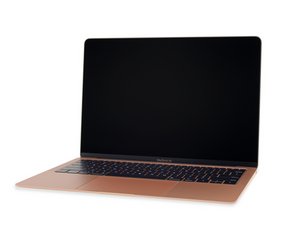

MacBook Air boot loops, won’t boot from external Drive
So this MacBook Air is in a constant Boot Loop, but the symptoms are unlike anything I’ve ever seen before.
I get the chime and the logo for a few seconds, but then it reboots itself. (OK, typical symptomsi’ve crashed drive or corrupt OS)
AS I expected, it’s responsive to key commands, so I bring up the list of drives by holding the option key, pop in an external drive, select my installer and… NOTHING 😳
As soon as I select any drive, it just goes black and boot loops.
IT won’t even try to boot.
No Apple logo or progress bar, just instantly goes black and restarts. (I’ve tried 6 drives)
🙄OTHER NONSENSE….
When booting from Recovery mode, it goes through the whole 15 minute countdown only to just reboot itself again
It seems like it has the capability to boot, but something is saying “No, not today” 🙄
NOW HERE’S WHERE IT GETS REALLY REALLY REALLY WEIRD…
I put it into TDM and connect it to another Mac via thunderbolt 3. The window pops up asking for the password, and when I enter it, THE MACBOOK AIR RESTARTS! 😠

 22
22  10
10  7
7 