メインコンテンツにスキップ
リペアコミュニティに参加 - アカウントの作成

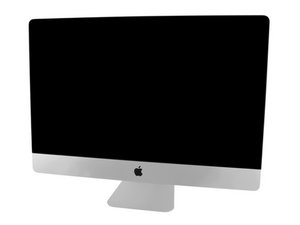
モデル番号A1419 / EMC 3070 / Mid 2017 / 3.4, 3.5もしくは3.8 GHz Core i5もしくは4.2 GHz Core i7 Kaby Lakeプロセッサ (ID iMac18,3) / Retina 5Kディスプレイ。システムは類似しているため、修理ガイドについては旧モデルのiMac Intel 27インチ Retina 5Kディスプレイ (Late 2014 & 2015) を参照してください。

Occasional thin vertical line going down the screen... |

A top of the line 2017 iMac has been offered to me ridiculously cheap (Less than $200), but it has this single thin line that goes down the screen which only appears occasionally and goes away after a short time of use, It mostly appears when there is a dark background (So I am told). My guess is the screen is on the way out but not being an iMac specialist it may just be some cable issue.... Can anyone confirm the issue.

Intel Core i7 7700K 4.2GHz Quad-Core 32GB RAM - Storage: 512GB Fusion Drive, Radeon Pro 580, 5K Retina Display etc..... 27" model.


Block Image
この質問に回答する 同じ問題があります

この質問は役に立ちましたか?

スコア 1
コメントを追加

2件の回答

最も参考になった回答

@livfe those lines originate from a loss of contact between the source driver COF and the LCD panel. The COF is connected to the source driver board (long, skinny circuit board) and the LCD. If a single point on this COF loses contact, you get those lines. Sometimes a bit of pressure on the COF right on the area where the line appears, may re-established contact. Sometimes it is enough to just wedge a piece of thermal pad between the COF and the display housing, to (temporarily) "fix" this. We'd have to see the location of that specific COF and what it looks like in relation to the LCD housing.

This error will not be related to any cable that can be removed or be reseated. COF's are in a fixed position.

The Apple part number for the display is 661-07323 The panel itself is a LG display model LM270QQ1(SD)(C1)

このアンサーは役に立ちましたか?

スコア 1

4 件のコメント:

Thats it the COF (The same part as in my other recent post Impossible repair? (LCD Orange flex cable))

さんによる

@livfe sort off but not quite the same. A COF actually has an IC right on it (Chip-on-Film) whereas the one on your linked question does not, which makes it a ribbon cable :-). The bonding process of attaching that cable is most likely the same. Check on here for how they fix it. One of those machines is going to be my retirement investment :-)

さんによる

@oldturkey03 Hurry up and retire and move out here where it is ALWAYS HOT & MUCH Cheaper than Germoney ;)

さんによる

@livfe I figure I can do one more year,also I am ready for it now. You better get the shop ready. I need lots of space :-)

さんによる

コメントを追加

This is often referred as a TAB error. This is the alignment of the ribbon cable to the metal oxide pads on the glass LCD panel.

Different screens offer different mating solutions. So while this direct bond method is used here others use a compression solution.

If you take off the display you might be able to press the ribbon cable a bit for it to make a better connection. Otherwise it’s time for a new display.

このアンサーは役に立ちましたか?

スコア 0

5 件のコメント:

The unit is less than $200, must be worth it? ..... besides, seller said it has been a month since the line was last seen, comes and goes he says. The display itself will not suddenly fail or develop more lines from this issue?

さんによる

@livfe - it might get wider slightly as the neighboring lines might lift off

さんによる

@danj Some other post suggested that if the screen was previously removed then one of the cables might be either not fully seated or damaged, in this case I guess I can buy a new cable for it, either was, under $200 is quite tempting as I have someone very interested to buy it from me :)

さんによる

@livfe - These cables aren’t easily replaced as there are bonded to the LCD glass. If the display was removed not following the proper procedure then that’s a possibility the cable was damaged. Most of the time it’s a bit more than a thin line.

さんによる

@danj Yes, the screen was removed but the issue was there before that was done..... so it is a no fix unless the tip from dan in his answer helped resolve it..... hassle to try.... pity as it is a nice iMac.

さんによる

コメントを追加

回答を追加する

livfe さん、ありがとうございました!
統計データ:

過去 24時間: 1

過去 7 日: 20

過去 30 日: 77

今までの合計 424
