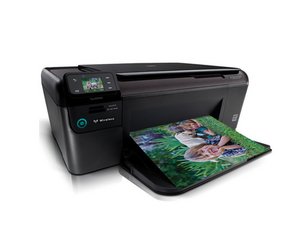

How do you release ink carriage stuck on the right hand
How do you free the printing carriage stuck on the right on a HP Photosmart 8250 printer

評価: 98.1千
 417
417
 296
296
 158
158
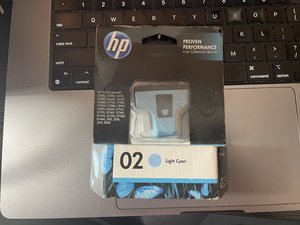
I looked into it to see if this is the HP 02 mechanism, given I recognized the model as a potential "02" printer. HP discontinued new manfacturing of 02 ink carts in 2020
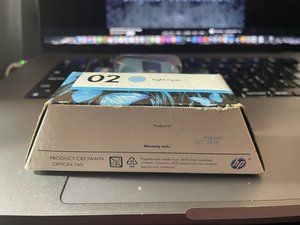
Unless you have any really fresh stock of NOS 02 ink, any extras you have are likely shot. If it looks like this, it's generally going to be toast in almost every case (this one was likely made in 2013 based on the date info):
UNLESS YOU HAVE A GOOD 3RD PARTY SUPPLIER OR INSTALLED CISS CARTS, this will play into my answer. I have found them in random ink lots as NOS, but these things are ancient and probably no longer work when they're actual NOS OEM HP. These do not shake like Epson and Brother, so this isn't a liquid carrier; the carriers WILL EVAPORATE over time in storage.
These were significantly different for HP compared to the integrated head designs like the tri-color cart and 564/920 printheads. As such, the head will require significant disassembly to access. To access the printhead for unjamming, you'll need to remove the printer's top cover and disconnect the ink lines to access the head on the 02 printers... It's a bit of a burden to service these, much like the modern factory bulk ink tank inkjets we have now (the only difference is the ink capacity, which shares the same poor serviceability characteristics).
Once you get the top off, look where the printhead service station rests (having photos of the service station will help us all find out where the gears you need to reverse are). HP usually has an open-gear design, which means you can probably reverse the gears by hand if need be. That said, if you can turn it on, I recommend this over the force method, as it is safer and less likely to damage the printer. Once you get the head unlocked, unplug the printer, and then you can investigate the source of it.
Given a preliminary educated guess, I would guess one of 4 faults (this is sorted by order):
While I do not have a 02 printer to show this on, this video of a printhead cleaning may point to another potential cause: There are 2 lifters on the printhead, and one seems to be prone to breaking as these printers age due to HP cost reducing the mechanism on these 02 ink tank printers to get the cost down, as the head layout is similar to the HP wide format machines such as the Designjet and HP Latex printers.
このアンサーは役に立ちましたか?
過去 24時間: 0
過去 7 日: 1
過去 30 日: 4
今までの合計 110

2 件のコメント
@jameshogg15084 let's see if our printer Guru @nick has an answer for you.
oldturkey03 さんによる
@oldturkey03 Got it, not a great potential outcome but I've pointed out a few common areas to check.
Nick さんによる