メインコンテンツにスキップ

HPによるフォトインクジェットプリンターモデルの修理ガイドならびにサポート情報。

How to clear expired ink message after installing new ink?

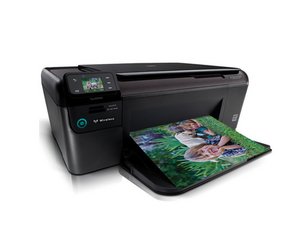
My HP Photosmart D7360 printer gave the message, "ink expired" but, I used it anyway. Now printer doesn't print even after I installed new ink cartridges. How do I fix it?

回答がありました! 回答を表示 同じ問題があります

この質問は役に立ちましたか?

スコア 0
4 件のコメント

does the new cartridge register in the HP toolbox on your PC?

さんによる

No, doesn't register.

さんによる

Thanks polly for the help, it didn't clear the error but, I'm still working at. I look at it from this angle, " closer than I was ".

さんによる

are they genuine hp cartridges? tried another set? try uninstalling and reinstalling hp on your pc?

さんによる

コメントを追加

1 件の回答

ベストアンサー

I've taken this from a brilliant site www.fixyourownprinter.com try it and see

If it doesn't work then I'd try browsing their forum threads to see what else you can find.

  • Fix your HP Photosmart D7360 (Reset Code/Master Reset) ***

1- Turn off power and unplug from power source.

2- Open right side of printer (looking at the front).

3- Disconnect,by pulling gently, both white flat ribbon cables off the main circuit board.

4- Plug in power source and turn printer on. Wait till you get a error message and push "Ok".

5- Unplug power source.

6- Reconnect the flat ribbon cables by aligning and carefully pushing into the conectors on the main circuit board.

7- Plug in power source and turn printer on (Printer prepairing occurred.

8- voila, the nasty error message 0xc18a0001 "Ink System has Failed" is now gone.
このアンサーは役に立ちましたか?

スコア 3

6 件のコメント:

worked great thank you . of course, hp support useless

さんによる

How did you remove the right panel?

さんによる

This is not the problem I have but I tried it, but no success. (but good advice anyway) MY problem with the D7600 is I get a paper jam message and believe me there is no jam and I have cleaned and cleaned the insides. Wont print of course, except very occasionally. Any advice please.

さんによる

@amcn The ink is discontinued (HP 02), but a lot of the time it's a dirty sensor or paper under a sensor that's causing a false trip. Check the paper path and make sure there's nothing obvious - if you do not see anything obvious, it's usually a deeper sensor failure. Given the ink supply left (reman) depends on core availability, I'd look for a new printer.

さんによる

@nick Thanks Nick for you answer. I have looked and looked, blown out all the dust from every direction and all looks clean. Can I get at deep sensor or is this lovely printer now toast.

さんによる

1以上のコメントを表示

コメントを追加

回答を追加する

gmanard73 さん、ありがとうございました!
統計データ:

過去 24時間: 0

過去 7 日: 1

過去 30 日: 9

今までの合計 4,982
