メインコンテンツにスキップ
リペアコミュニティに参加 - アカウントの作成

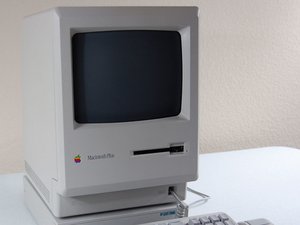
Released by Apple on January 16, 1986, the Macintosh Plus is an upgrade to the original Macintosh and the Macintosh 512K.

My Macintosh plus floppy drive runs continuously and won’t eject

When I turn on my Macintosh, it makes a weird noise and every time it makes noise it the inside little thing spins around and stops for a second and then continue spinning around and stops, and when I try to put a system floppy disc in it it will not work and show the red X screen while the thing continue spinning and won’t eject

この質問に回答する 同じ問題があります

この質問は役に立ちましたか?

スコア 1
コメントを追加

1 件の回答

Hi @cindycrosswhite, If your floppy disk will not eject on you Macintosh plus, it is probably the wheels used to eject the disk. In the disk drive, you have 2 wheels which slide the disk out. Now if these wheels were not cleaned, the disk would not eject. To fix this, first open the computer up (discharge the crt) and take out the disk tray. Then get some isopropyl alcohol and clean the wheels. If this does not work try to manually eject the disk. To manually eject the disk, you just need to get a small pin, and put the pin in the little whole next to the disk drive. When you push the pin in, it will eject the disk. Also, the reason you have the spinning sound is because the disk drive thinks there is a disk inside. To stop the spinning, do the manual eject example I showed above when the spinning starts. Hope this helped! Good luck with your retro computing adventures!!

このアンサーは役に立ちましたか?

スコア 0
コメントを追加

回答を追加する

Cindy Crosswhite さん、ありがとうございました!
統計データ:

過去 24時間: 4

過去 7 日: 4

過去 30 日: 6

今までの合計 91