メインコンテンツにスキップ
リペアコミュニティに参加 - アカウントの作成

9月20日に発売された、Appleのメインストリームとなる2019年iPhoneモデルには、6.1インチLCDタッチスクリーン、デュアルカメラが搭載されており、6色から選べるカラーセレクションです。iPhone XRの継続モデル。

How do I find the developer options

How do I find the developer option in my I phone 11. This I phone is much more complicated to figure out then my Android Samsung Galaxy A32. I have already gotten the developer option turned on in the Samsung, and the Samsung is rooted.

I had to change phones because the Dexcom G6 glucose monitor will not work on any Android phone. And they don’t spell out that fact in there tv ad’s about the dexcom g6 glucose monitor not working on Android phones. And the Spectrum I phones cost more money then the Spectrum Android phones.

この質問に回答する 同じ問題があります

この質問は役に立ちましたか?

スコア 0
3 件のコメント

What are you going into the developer options to do?

さんによる

Hi @reble ,

Here's a list of the phones that are supposed to be compatible with the app. Seems as though the Android phones need to be Android 10 and above though to work with the app.

Looking online, Spectrum Mobile sells some of the Android phones listed above

Click on any applicable phone as there are caveats when using the app e.g for Galaxy S21 Plus it says "For Alarms/Alerts to work as expected do not use the Android Pause feature introduced in Android 10"

さんによる

@andrewsawesome

On Android phones by going into the developer option the display can be set to stay on all the time when the charge cord is plugged in. Also there are some app’s that won’t run unless the phone/tablet is rooted. I have some Android, Amateur Radio app’s that won’t run unless the phone is rooted. The Android root is like the windows registry. I know how to manipulate the Windows registry. It took me many years to learn Windows. I started out with Win 3.1 and worked up. It has taken me a few years to learn Android, with a few bricked phones along the way.

さんによる

コメントを追加

5件の回答

最も参考になった回答

Developer options are hidden by default, to enable it, you need to connect it to an Xcode instance.

Also the iOS developer mode does much less than what you think. To truly customize the system, you need to jailbreak it.

このアンサーは役に立ちましたか?

スコア 2
コメントを追加

Hi

I believe that on iPhones apple only has access to developers options

So the best you will be able to to do is probably with a app from rewa

Thanks:)

このアンサーは役に立ちましたか?

スコア 1
コメントを追加

Hey there! Finding the developer options on your iPhone 11 is a bit different compared to an Android phone. Here's how you can do it:

Open the Settings app on your iPhone.

Scroll down and tap on "General."

Scroll down again and look for "About" at the top of the list.

Tap on "About" and then find "Software Version."

Tap on the "Software Version" repeatedly until you see a message that says, "Developer mode has been enabled."

このアンサーは役に立ちましたか?

スコア 0
コメントを追加

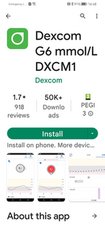
So this doesn't work? In android play store.

Block Image
Block Image

このアンサーは役に立ちましたか?

スコア 0
コメントを追加

To find the developer options on various platforms, follow these instructions:

  1. Android: a. Open the "Settings" app on your Android device. b. Scroll down and tap on "About phone" or "About device." c. Look for the "Build number" or "Build version" option. d. Tap on the "Build number" repeatedly (usually 7 times) until a message appears, indicating that you've unlocked the developer options. e. Go back to the main "Settings" menu, and you should now see the "Developer options" listed.
  2. iOS (iPhone, iPad): a. On iOS devices, there is no system-wide developer options menu like Android. However, you can enable certain developer-specific features for individual apps that support it. b. For apps that offer developer options, you can usually find them within the app's settings or preferences section. Look for options related to debugging, testing, or development.
  3. Web browsers (Chrome, Firefox, Safari): a. Open the web browser of your choice. b. Right-click anywhere on the webpage or press "Ctrl+Shift+I" (or "Cmd+Option+I" on macOS) to open the browser's developer tools. c. In the developer tools window, you'll find various tabs and options for inspecting elements, debugging JavaScript code, analyzing network traffic, and more.

Please note that accessing and modifying developer options can have consequences on your device or applications. It is recommended to proceed with caution and only make changes if you are familiar with the implications.

このアンサーは役に立ちましたか?

スコア 0
コメントを追加

回答を追加する

Steven Eizenberg さん、ありがとうございました!
統計データ:

過去 24時間: 2

過去 7 日: 7

過去 30 日: 45

今までの合計 2,606