
メインコンテンツにスキップ

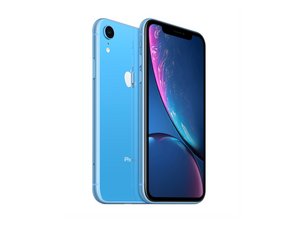
2018年10月26日発売。モデル番号はA1984, A2105, A2106, A2108。オプションとしてGSM もしくは CDMA / eSIM, nano-SIM もしくは dual-SIM / 64, 128もしくは 256 GB /カラーバリエーションはブラック、ホワイト、ブルー、イエロー、コーラル、レッドがあり。(正しい発音は"iPhone 10 R"です)

Boot loop when plugged in

A few weeks ago my iphone’s screen was cracked to the point where i couldn’t use it anymore, about 4-5 days ago i dropped it with an otterbox defender case on and it gets stuck in a boot loop after being plugged in. I have tried plugging it in to my pc and using 3u tools, but it wont even power on when plugged in. anybody know how to fix this?

回答がありました! 回答を表示 同じ問題があります

この質問は役に立ちましたか?

スコア 0
1件のコメント

The same exact thing happened to me it the screen wont turn on unless it’s plugged in but it stays on the apple logo and just resets and then when I try to plug it into a pc nothing works at all it only happened after I dropped my phone which I don’t understand because I never even cracked it

さんによる

コメントを追加

2件の回答

ベストアンサー

Your description is not clear. Did you replace the screen and everything was working? Than you dropped it again and it started behaving like this? You are also saying it is boot looping but it won’t even power on?

The most common causes for the phone to boot loop after a drop are.

·         Damaged front flex assembly. Disconnect this and see if the phone fully boots.

·         Faulty battery. Check the battery connector is sitting flush. You may need to try another battery.

·         Faulty charge port assembly.

·         Faulty screen.

·         Needs a software update.

It will most likely be a parts problem I would start with the front flex assembly.

このアンサーは役に立ちましたか?

スコア 3

10 件のコメント:

So sorry it wasn't clear, It won't boot to the os but the screen powers on but only displays the apple logo for 10 seconds then turns off and repeats that cycle. As soon as you unplug it, it shuts off and it won't do anything when plugged in to my pc. Hope this clears up anything

さんによる

@chorles Disconnect the front flex and try.

さんによる

Sorry i'm not really educated when it comes to phones, could you dumb it down for me?

さんによる

@chorles iPhone XR スクリーンの交換

Follow to step 14 and disconnect battery. Head to step 18 than 19. Reconnect battery and try booting with that flex disconnected.

さんによる

Much appreciated, i will try tomorrow when i get my tools.

さんによる

5件以上のコメントを表示

コメントを追加

Try and Force Restart your iPhone exactly as shown below and see whether that resolves the issue. Press and quickly release Volume UP button. Press and quickly release Volume DOWN button. Press and Hold the SIDE button until an Apple logo appears then release the Side button (Can take up to 20 seconds)

このアンサーは役に立ちましたか?

スコア 0

1件のコメント:

Hm, that didn't work for me

さんによる

コメントを追加

回答を追加する

Charles Adamski さん、ありがとうございました!
統計データ:

過去 24時間: 1

過去 7 日: 12

過去 30 日: 45

今までの合計 3,904
