
メインコンテンツにスキップ
リペアコミュニティに参加 - アカウントの作成

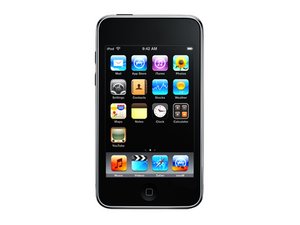
モデル番号A1318/ 32もしくは64GBの容量

Continuous Apple Icon Stare!

Diagnostics: 1. It will hold a charge, but not continue pass the apple icon; 2. Will not connect with iTunes at all.

Just want to be clear about the procedure I need to perform on it! Please let me know If I need to change anything!

回答がありました! 回答を表示 同じ問題があります

この質問は役に立ちましたか?

スコア 1
コメントを追加

1 件の回答

ベストアンサー

Try forcing DFU mode.

Plug your ipod into your pc.

Hold the sleep button (power button) and Home button for 10 seconds.

Then release the Power button but keep holding the Home button until your PC states "Found New Hardware". Then you should be able to restore it. If this doesn't work let me know.

Update

Ok, the fact its blank is a good sign. Did you keep the home button held down when you got a blank screen? Keep a hold of it if you didnt. If this doesn't work google TinyUmbrella and download it, run it with your iPod plugged in and see if you can click "enter recovery mode". Then restore from there.

Let me know what happens.

このアンサーは役に立ちましたか?

スコア 1

3 件のコメント:

Thank you for responding... Okay, I have tried the 10s rule. After 10s, it completely goes blank (appears to shutdown) and restarts and does not go beyond the apple icon. (lol) I repeated this a couple of times to be sure, and got the same result each time. So, do I need to play doctor and replace something?

さんによる

That was very helpful! Thank you for reiterating that I needed to hold the "home button." I didn't pay attention to that detail the first time, but it is working now. Thank you again!

さんによる

You're most welcome. Voted original post up because you kept contact and were polite with your communication.

Glad I could help! That's what I'm here for.

さんによる

コメントを追加

回答を追加する

Alex さん、ありがとうございました!
統計データ:

過去 24時間: 1

過去 7 日: 1

過去 30 日: 5

今までの合計 1,022