
メインコンテンツにスキップ
リペアコミュニティに参加 - アカウントの作成

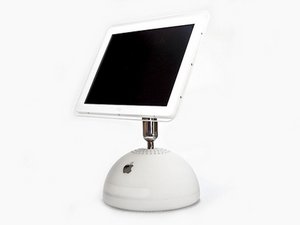
Repair information for the iMac G4.

finder folder and question mark

When I turn on my computer, I get the green/gray screen with the finder folder and a question mark after it. That's all it does. I try to hold the mouse button and boot, nothing. I try to hold the c key and boot and nothing.

Anyone had an idea of what's going on with my imac. It was given to me. It's a 700 mhz, 128 ram and a 40 GB HD.

Thanks....

この質問に回答する 同じ問題があります

この質問は役に立ちましたか?

スコア -1
コメントを追加

1 件の回答

最も参考になった回答

Your machine can't find a system folder. Either your system is corrupted or your hard drive has gone bad. Start up from your system installation DVD by inserting the disk and holding down the "C" key on startup. Go to the second screen pull down menu to Utilities > Disk Utility. See if the drive shows up on the left. If so click on it and run repair till it runs clear. If it does not show up, it has gone south and you will need to replace the drive with a new IDE drive and install a new system.

このアンサーは役に立ちましたか?

スコア 2

4 件のコメント:

How can I open the cd tray? I've tried ejecting it with the keyboard and no luck. Is there any other way to eject the cd?

さんによる

Try holding down the mouse button while starting up.

さんによる

I tried that also and nothing pops out. I don't think the cd tray works at all. At this point, since it needs a new hard drive and a cd tray, is it worth fixing?

さんによる

You'll spend about $70 on parts. If you don't have a system installation disk you'll have to buy that too. A kid would love this machine.

さんによる

コメントを追加

回答を追加する

Francisco Abrego さん、ありがとうございました!
統計データ:

過去 24時間: 0

過去 7 日: 1

過去 30 日: 5

今までの合計 2,050