
メインコンテンツにスキップ
リペアコミュニティに参加 - アカウントの作成

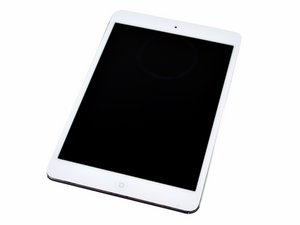
7.9インチのディスプレイ、モデル番号A1432、黒と白色のモデル、発表日は2012年10月23日、サイズは16、32、64GBがあります。

Home button not working

I just replaced screen with digitizer, and Home button works to turn on screen but when I touch it to close an app it shoots me back to The lock screen like I’ve touched the top button and I have to re login. It works when the screen isn’t seated in place. As soon as I push it in place it doesn’t work again. Digitizer is properly hooked up. I don’t know what to do!

回答がありました! 回答を表示 同じ問題があります

この質問は役に立ちましたか?

スコア 0
コメントを追加

1 件の回答

ベストアンサー

The iPad mini has a few gotcha’s…

It is prone to ghost touching when the digitizer isn’t top quality. Usually this can be remedied by putting some anti-static tape, such as Kapton tape, over the Home Button flex that runs along the bottom edge of the digitizer. The other problem is you may have kinked the the flex the wrong way. It’s supposed to fold towards the inside of the device.

このアンサーは役に立ちましたか?

スコア 1
コメントを追加

回答を追加する

mjo83 さん、ありがとうございました!
統計データ:

過去 24時間: 0

過去 7 日: 0

過去 30 日: 3

今までの合計 82
