
メインコンテンツにスキップ
リペアコミュニティに参加 - アカウントの作成

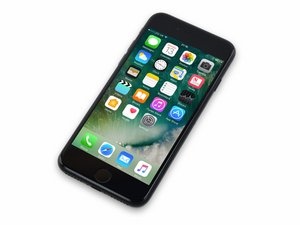
2016年9月16日に発売。モデル番号は1660, 1778で GSM かCDMA があり。/ 32、128、 256 GB / 色はローズゴールド、ゴールド、シルバー、ブラック、ジェットブラック

DFU mode timeout during software extraction

I'm trying to restore an iPhone 7 that is stuck on the connect to iTunes, but iTunes says there is an error and it can't connect. I tried putting the phone into DFU mode and it connects just fine so I start the restoration process but the iPhone will only stay in DFU mode for about 1 minute before restarting and messing up the restoration. Anyone know how to fix this? Thanks in advance!

この質問に回答する 同じ問題があります

この質問は役に立ちましたか?

スコア 1
コメントを追加

3件の回答

The problem is the iOS file is huge, and it takes too long to download, and DFU mode is impatient.

To fix this issue, first download the iOS IPSW from alink here.

Now, open iTunes and put your phone back into DFU mode.

Instead of straight clicking on the "RESTORE" button,

• on a PC, hold SHIFT, and then click "RESTORE", and select the file you downloaded.

• on a MAC, hold OPTION, and then click "RESTORE", and select the file you downloaded.

This will immediately extract and upload iOS to the phone before it leaves DFU mode.

このアンサーは役に立ちましたか?

スコア 0

3 件のコメント:

I was able to figure it out. I managed to get the phone in regular recovery mode and restore from there. DFU mode now works normally, so I'm not really sure what the issue was before.

さんによる

Nick rose how did you manage to sort it bud,even tho I've downloaded file without itunes,I'm still timing out at the extracting arghhh

さんによる

Just had the same issue, Restore only updating OS not erasing settings e.g. lock code, so tried DFU mode, iTunes timing out of DFU mode every time during update. Went back to try simple Restore one last time and it magically worked, settings and lock code are now gone, not sure why but happy!

さんによる

コメントを追加

You can just disconnect the phone and iTunes will continue download the OS. When it’s done, re-connect, re-enter DFU, and do the restore.

このアンサーは役に立ちましたか?

スコア 0
コメントを追加

reinstall iTunes, when prompted if you rather: 1 uninstall and reinstall iTunes or 2 repair itunes. Repair itunes then try dfu reset. worked for me

このアンサーは役に立ちましたか?

スコア 0

1件のコメント:

iTunes is part of the OS and has been replaced with the Finder for purposes of restore in newer systems anyway. It can not be uninstalled.

さんによる

コメントを追加

回答を追加する

Nick Rose さん、ありがとうございました!
統計データ:

過去 24時間: 11

過去 7 日: 15

過去 30 日: 30

今までの合計 9,282
