メインコンテンツにスキップ

2015年3月にアップデートされたAppleのMacBook Pro 13" Retina Display Early 2015 はモデル番号はA1502、第5世代のIntel Core i5と i7プロセッサーが特長でForce Touchトラックパッドを備えています。

Suddenly popping, crackling sound.

I got this Macbook as a leftover from my dad. About one-and-half year has passed.

And now I found my speaker popping some weird sounds. Or you can say, it's the frequently asked crackling sound.

This happens several minutes after I turned on my Macbook. But after I left my Macbook for about 10 - 20 minutes, it doesn't happen again. The crackling sound disappeared for a time.

What do you think about this phenomenon?

Should I ignore it? Or should I go to the Apple Store?

この質問に回答する 同じ問題があります

この質問は役に立ちましたか?

スコア 4
2 件のコメント

I also have this issue, your solutions seems to work, I believe your going to be fine not bringing it to the Apple Store.

さんによる

I am same problem with Macbook 2018

waiting for proper solution

Thanks

さんによる

コメントを追加

3件の回答

最も参考になった回答

Ive tried fan control, PRAM reset, diagnostics ect and finally gave in...took the macbook apart and saw that there was gritty dust in the fan, flushed it out with isopropanol alcohol and its been running smoothly ever since and the popping sound has gone

このアンサーは役に立ちましたか?

スコア 1
コメントを追加
Block Image

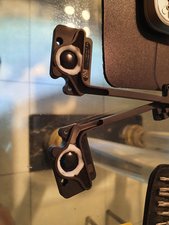
Fix the disintegrated voice coil flexi ring with flexi white glue.

このアンサーは役に立ちましたか?

スコア 1
コメントを追加

Hey Sulthon. I am also experiencing a crackling/popping noise. I thought like you that the speaker was the culprit, and upon changing both left and right speakers, the crackling persits!...rats.

For the nature of my case, the crackling starts/persists when I am in a warmer room or in my bed using the laptop, and it stops when the computer is in a physically cold space like in my basement or on a cool counter surface. So that has lead me to the deduction that the problem is temperature-related.

Temperature could increase or decrease with the physical environment its in, but also when the computer is demanding a lot of processing power,

I've done some research and I think I've narrowed it down to the battery, thermal paste connections, and fan cleaning.

There is a phenomenon with these batteries where they overheat, swell up and cause a gas exchange. See here.

Overheating is a definite concern for computers in general and has been for a long time, this is no exception. Ensuring proper thermal paste connections is crucial for heat dissipation. I know mine will need to be reapplied.

A lot of forums were suggesting that the HDD could be a culprit due to the energy demands they require but since we have an SSD in this model, I do not think this crackling sound is coming from there.

I will change the battery, re-apply thermal paste and clean the fan, and hopefully the sound will stop!

このアンサーは役に立ちましたか?

スコア 0
コメントを追加

回答を追加する

Sulthon Hernanda さん、ありがとうございました!
統計データ:

過去 24時間: 1

過去 7 日: 12

過去 30 日: 29

今までの合計 10,143