
メインコンテンツにスキップ
リペアコミュニティに参加 - アカウントの作成

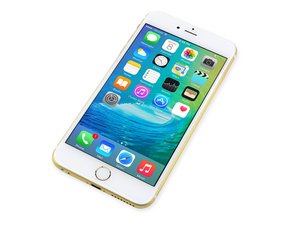
2015年9月25日に発売。モデルA1687/A1634。このデバイスの修理は前モデルと似ています。スクリュードライバーとこじ開けるツールが必要です。GSM もしくは CDMA。容量は16、64か128 GB。カラーはシルバー、ゴールド、スペースグレイ、ローズゴールド。

Right side of backlight dim

Just replaced my screen with the screen from here and it worked perfectly until I put my phone in my case and then removed it again. As soon as I put bending pressure on the top right to pull it out of the case, the right side of the screen loses backlight. I open the phone again and it works again until I slightly bend the top right corner like I'm removing it from a case. I can tap & bang all areas of the phone and its perfect. So long as I don't take it out of the case, its fine. I redid the install to make sure all plugs are in perfectly and they are. Checked cables for rips and ensured I didn't open the screen more than 90 degrees. What could it be? I'm about to trade the phone in so it's not a show stopper... Just curious.

回答がありました! 回答を表示 同じ問題があります

この質問は役に立ちましたか?

スコア 0
コメントを追加

1 件の回答

ベストアンサー

It's possible that the replacement screen is defective. I would try to re-install the original, cracked screen to see if that exhibits the same symptoms. That will help you understand if the problem is with the screen or on the logic board. If it is the screen, contact iFixit support.

Did you disconnect the battery before removing and installing the replacement screen? The iPhone 6S seems particularly sensitive to backlight failures when the battery is left connected. If this is the case (and the original screen confirms a logic board issue), then the only solution is to have it repaired by a micro-solderer.

このアンサーは役に立ちましたか?

スコア 1
コメントを追加

回答を追加する

Christopher Phipps さん、ありがとうございました!
統計データ:

過去 24時間: 0

過去 7 日: 0

過去 30 日: 1

今までの合計 408
