
メインコンテンツにスキップ
リペアコミュニティに参加 - アカウントの作成

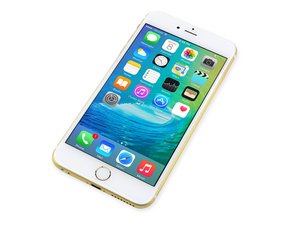
2015年9月25日に発売。モデルA1687/A1634。このデバイスの修理は前モデルと似ています。スクリュードライバーとこじ開けるツールが必要です。GSM もしくは CDMA。容量は16、64か128 GB。カラーはシルバー、ゴールド、スペースグレイ、ローズゴールド。

Screen is black after replacement and..

So , we tried to replace the iphone screen because its very cracked. At first it turned on but looked glitchy but the touch screen didnt want to register. After that it just wouldn't turn on. We checked everything and nothing was damaged. Put the old screen back on but no dice, still nothing. I have it plugged into the computer and ive tried hard rests and dfu. Itunes recognizes the device and i'm doing a reset/ restore but it still won't turn on. Was it broken somehow while trying to switch screens? how come it worked and then suddenly worse off without doing anything?

回答がありました! 回答を表示 同じ問題があります

この質問は役に立ちましたか?

スコア 0
1件のコメント

Did you unplug or plug in the screen while the battery was connected?

さんによる

コメントを追加

1 件の回答

ベストアンサー

As Ben suggested, not disconnecting the battery first can cause the backlight circuit to fail. Seeing as how both your original and replacement screen do not work, the problems seems to be on the logic board.

Do what you normally would to "turn on" your phone. The check your display with a flashlight. If you can see a very dim image on your screen, then it is the backlight circuit. This will require a micro-soldering repair.

このアンサーは役に立ちましたか?

スコア 3

2 件のコメント:

can i do the micro soldering on my own? how? thank you

さんによる

also there is no dim image when i turn it on its just black, no display, nothing what should i do?

さんによる

コメントを追加

回答を追加する

iloveanimebye さん、ありがとうございました!
統計データ:

過去 24時間: 0

過去 7 日: 0

過去 30 日: 2

今までの合計 157
