メインコンテンツにスキップ

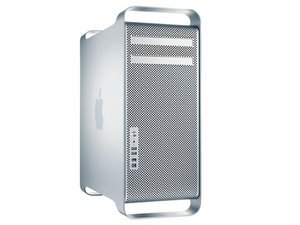
初代Mac ProはIntel Xeonをベースにしたワークステーションコンピューターです。初代モデルには2006年から2008年のデバイスも含まれます。

PCI Express SSD not Found

PCI SSD not found

Hello,

I'm trying to make my SSD run but my MacPro 3.1, OS-X Yosemite doesn't see it.

I already heard that OS-X 10.10 could be the problem, do you agree?

I'm using a Delock PCI Express Card, M.2 NGFF, plus a Samsung V-Nand SSD 850 EVO M.2!

Can my Mac maybe not work with it?

I also know that Apple is blocking 3rd part SSD`s from it systems, is that correct, what can I do?

Greetz Markus

回答がありました! 回答を表示 同じ問題があります

この質問は役に立ちましたか?

スコア 0
1件のコメント

Your systems specs: MacPro3,1

さんによる

コメントを追加

1 件の回答

ベストアンサー

You have a few different issues here:

  • First the PCI adapter you are using Delock PCI Express Card > 1 x internal NVMe M.2 PCIe / 1 x internal SFF-8643 NVMe – Low Profile Form Factor or one of the other in this series requires a PCI bus driver for the system to see it. In reviewing their documentation they don't offer the needed driver for running under Mac OS-X online (to use the Mac PCI configurator). But, you could download onto a MS Windows system the drivers and with some editing create what your Mac Pro requires. I've heard people doing it I my self have not done it @mayer might have (any ideas Mayer).
  • You do have a second issue as even though the PCI bus driver maybe fixable, I'm not sure if you can access the PCI card's M.2 SSD here (need a kext file). This is where you'll need an OS level driver to enable access to the device. Again, you might be able to create your own using another as a template and Apple's hardware development guide for Mac Pro they offered many moons ago to hardware developers.

As to the version of Mac OS you are using yes, Apple tightened up the system level security under Yosemite called 'System Integrity Protection' or just driver signing. Here's how you can over-ride it if you need to. Keep in mind you now have a backdoor open for malware to hit you: How to Disable System Integrity Protection (rootless) in Mac OS X

So can you use M.2 SSD's at all here?

Well, yes kind of... There are a few SATA to M.2 frames like this one: M.2 NGFF SSD to 2.5" SATA Adapter Converter which would allow you to treat the SSD as if it were a SATA drive. Sadly, you won't get more throughput than what your systems SATA ports offer SATA II (3.0 Gb/s) here.

このアンサーは役に立ちましたか?

スコア 2

4 件のコメント:

Do I need an NVME driver?

さんによる

Only if you use the SSD within the Delock PCI express card. Thats the kext file I was speaking about.

さんによる

Thank you a lot, ... I will leave a comment when the system is running!

さんによる

Had some time to see what I could find in the Apple developer site. Here's what you'll need to do to create a kext file: Creating a Generic Kernel Extension with Xcode and these two get into the hardware side of things:

- The anatomy of a PCI/PCI Express kernel driver

- Down to the TLP: How PCI express devices talk (Part I)

さんによる

コメントを追加

回答を追加する

Markus Achelpohl さん、ありがとうございました!
統計データ:

過去 24時間: 0

過去 7 日: 2

過去 30 日: 5

今までの合計 2,771
