
メインコンテンツにスキップ
リペアコミュニティに参加 - アカウントの作成

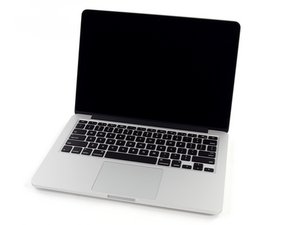
モデル番号A1502 / 2.4, 2.6, 2.8 GHz デュアルコアIntelプロセッサ/ 2013年10月発売

My Retina Screen is behaving erratically

The screen has a LOT of white lines crisscrossing the screen which de-mark individual pixels which make it quite unappealing to watch movies,etc.

Also when the mac starts up - sometimes (quite often) there is a green imprint in the middle of the screen that adds the colour green to every colour on the screen, but this goes after like about 5 minutes. If I view the screen from the sides I can clearly see the green imprint very clearly.

回答がありました! 回答を表示 同じ問題があります

この質問は役に立ちましたか?

スコア 1
コメントを追加

1 件の回答

ベストアンサー

To try to isolate the problem, hook it up to an external monitor and see if the issue persists.

Next, start up in Safe Mode (hold down the shift key on start up to see if it might be software related).

このアンサーは役に立ちましたか?

スコア 2

4 件のコメント:

Thanks for your quick reply, but I have checked and it seems to be a hardware fault.

さんによる

Hook it up to an external monitor and see if the issue persists. If so the problem is with the GPU. If not then you go to the display.

さんによる

hello, i think i may have the same problem. display is ok on safe mode, but if i boot it in a normal way i also have a white screen with criss cross thingy, i hook it up to an external monitor and also the same output. is there a way to replace the gpu? Thank you!

さんによる

It it's OK in Safe mode it is likely a software problem. Run a good "Paid For" anti-virus program like Symantec first.

さんによる

コメントを追加

回答を追加する

Anshuman さん、ありがとうございました!
統計データ:

過去 24時間: 0

過去 7 日: 5

過去 30 日: 11

今までの合計 199