
メインコンテンツにスキップ
リペアコミュニティに参加 - アカウントの作成

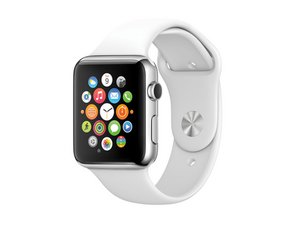
2014年9月9日に発表されたこのデバイスはAppleが進出した最初の身につけるスマートデバイスです。iFixitの修理マニュアルではApple Watch (スティール製)とApple Watch Sport (アルミニウム)どちらも対応しています。

bottom charge / pulse sensor

My aplle watch bottom cover came off with the charger and the ribbon cable is broken. The two small cables for charging are still intact and I can still charge the watch but the pulse sensor is not working. where I can buy replacement sensor?

Thank you in advance

Update (09/10/2016)

Yes I saw that section but there is no sensor there. I know it is a common issue that the back of the watch is falling while detaching the charger and I was curious why there are no replacement parts for this issue. And the replacemet is prety simple. there is only one ribbon cable with connector and two tiny wires that have to be soldered for the charging and that is it. This is the needed part.

Block Image
この質問に回答する 同じ問題があります

この質問は役に立ちましたか?

スコア 0
コメントを追加

7件の回答

最も参考になった回答

Depending on which Apple Watch model you have you can find all our replacement parts here:

https://www.ifixit.com/Store/Parts/Apple...

このアンサーは役に立ちましたか?

スコア 1
コメントを追加

when you remove the bottom cover you will see this

Block Image

. Just unplug the connector, and remove the black tape from the two tiny charging cables. one of them is marked with red or white and it must be soldered to the upper point

Block Image

. and that's it. only the part is hard to find. I used broken watch to take the sensor but it is good to have a new/replacement one too

このアンサーは役に立ちましたか?

スコア 0
コメントを追加

Is this the part that is needed to be replaced for fixing this issue?

Apple Watch (38 mm, Original & Series 1) Rear Cover

This plastic rear cover includes 4 sensor lenses.の画像

製品

Apple Watch (38 mm, Original & Series 1) Rear Cover

$9.99

このアンサーは役に立ちましたか?

スコア 0

1件のコメント:

Hi, this is just the cover and it does not include the coil for charging and and the sensor.

さんによる

コメントを追加

Hi so the watch charges with the two antennas attached and not the ribbon

このアンサーは役に立ちましたか?

スコア 0
コメントを追加

So when I solder the two wires back do they need to go in the old solder or can I just put the wires on top then solder over them? The charging wires came off

このアンサーは役に立ちましたか?

スコア 0

1件のコメント:

Do the wires have to go directly into the previous soldered pads that they were once connected? By directly I mean like the hole they once where connected or can I just peel the wires a little and then place them on top onto of the old soldering pads And just solder them? I guess my question is do they need to make contact with anything specific or not really? Just place solder and that’s it?

さんによる

コメントを追加

the Wires go on separate pads the one with the white marking goes to the right if I can remember research to be accurate but I put the wire on the pad and took my solder iron and press down delicately until the solder became liquid tweezer would help also a magnifying but I used neither and actually I didn’t have a solder tip at the time just used the hot coil from the iron and the solder pad that was already there didn’t bother with the hr didn’t have the tools definitely recommend microscope for that

このアンサーは役に立ちましたか?

スコア 0
コメントを追加

It's available from repair universe. It believe it was a apple series 1

Block Image

it's only 10 dollars and I also found the cover and all of the other cables and repair parts if you would like that information.

Update (05/10/2020)

I haven't worked on an apple watch but there are probably videos on YouTube. I would watch all of them. I hope this helps

このアンサーは役に立ちましたか?

スコア 0

1件のコメント:

I have that I just want to know how to solder the battery wires back like do they have to go inside a specific way or just place the wire on top of the previous solder and just place new one and that’s it it’ll work

さんによる

コメントを追加

回答を追加する

Nikolay Kolev さん、ありがとうございました!
統計データ:

過去 24時間: 0

過去 7 日: 0

過去 30 日: 12

今までの合計 1,202
