メインコンテンツにスキップ
リペアコミュニティに参加 - アカウントの作成

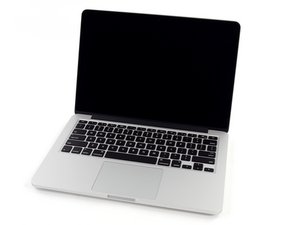
2.5GHzデュアルコアIntel Core i5プロセッサ(Turbo Boost使用時最大3.1GHz)、3MB共有三次キャッシュ

Replacing Broken Logic board

Hello, got some interesting question that i need to ask before buying a logic board, but before that, I need to tell you guys, that I totally need a logic board for myMacbook pro retina late 2012 A1425. I notice that the build and parts of Macbook pro retina Mid 2013 was exactly the same. They have the same parts, same ports, same layout of the case. Is this possible to replace the logic of my laptop using the 2013 intel Core i7 Logic board instead of 2013 intel Core i5 A1425 Logic board? If this would be possible, has anyone tried this?

回答がありました! 回答を表示 同じ問題があります

この質問は役に立ちましたか?

スコア 0
コメントを追加

1 件の回答

ベストアンサー

Basically you can often swap-out logic boards within the same model series. As an example your system is part of MacBookPro10,2 (13" MacBook Pro Retina - 2012) so all of the logic boards here will work. When you jump to the next model series MacBookPro11,1 (13" MacBook Pro Retina - Late 2013/Mid 2014) things are often changed which is the case here. The SSD in your system is an Apple proprietary design (PCIe 2.0 x2) while the newer series is (PCIe 2.0 x4).

I would recommend sticking within the same series to be safe.

このアンサーは役に立ちましたか?

スコア 1

8 件のコメント:

Flat Rate Repair at $357?

さんによる

Thanks for your comment Dan and thanks for providing a link for A1425 builds. My previous logic board was a Intel Core i5, 8GB, and I was kinda thinking of going for the same logic board but with i7 processor and same ram. Would this have a significant increase if i'll go with the i7 processor?

さんによる

The CPU jump here is not enough given the cost difference. I would look at upping the RAM and/or the SSD size as my first actions. But before we go there do you find your system is sluggish? Are you working with large data sets (DB or coding), are you editing pictures or vids? These need more RAM and storage.

さんによる

actually i have a rendering workstation but everytime i travel i used to code and render using my laptop. But the only this about this upgrade is just because thats the only option they can offer the i7 aside from that the RAM are solder to logic board. Hence no reason for me to look for ram upgrade for this model. So im stuck to this option for the proc i5 and i7 when buying logic board... That's why I'm still searching for best answers for buying logic board..

さんによる

Boy you're between a rock and a hard place here ;-{

If image processing is important here I think you should think on getting one of the current MacBook Pro's systems which you can now get with 16 GB of RAM and a larger SSD drive. But that will cost you!

If you can live without the retina display and the slight weight difference here I would look at getting an older non retina system (used) and upgrade it with 16 GB of RAM and a 1 TB SSD drive.

I support a few companies which use MacBook Pro's (mostly architects and engineering firms) all of which are working with large data sets and image processing.

When Apple came out with the retina models we stayed with the older systems buying used systems as we needed them over the years. With over 500 systems in the field we still have only the older series models with a very small number of the newer retina models for the same reason you're stuck here. It's only in the last year Apple has finely offered a config that would be useful to us.

さんによる

3件以上のコメントを表示

コメントを追加

回答を追加する

Invoker さん、ありがとうございました!
統計データ:

過去 24時間: 0

過去 7 日: 3

過去 30 日: 17

今までの合計 1,075
