
メインコンテンツにスキップ
リペアコミュニティに参加 - アカウントの作成

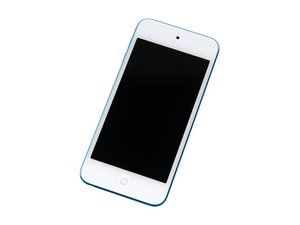
4インチディスプレイ/カラーバリエーションは様々あり/3種のモデル/16, 32もしくは64 GB容量

Forgot iCloud Find My iPhone

So the other day, I updated my iPod Touch 5th Generation to iOS 9.3 and when I get to the set up screen, it tells us to log in with iCloud Find My iPhone account in the Activate iPod screen. I forgot about this account and even the gmail I made it with. Is there any way I can skip this step or any way I can start using my iPod?

回答がありました! 回答を表示 同じ問題があります

この質問は役に立ちましたか?

スコア 0
コメントを追加

2件の回答

ベストアンサー

Go to this link and enter your serial number: https://support.apple.com/en-us/HT204073

このアンサーは役に立ちましたか?

スコア 1

2 件のコメント:

@mayer I am a bit confused by that. How is the serial number going to help finding the information for the iCloud login?

さんによる

This should tell you if it has been lost or stolen, see this which gives the link: https://support.apple.com/en-us/HT201472

さんによる

コメントを追加
最も参考になった回答

there is no way you can get back into your ipod sorry bud.

このアンサーは役に立ちましたか?

スコア 2

1件のコメント:

No way you can't unless if you know the password

さんによる

コメントを追加

回答を追加する

Danny Zaw さん、ありがとうございました!
統計データ:

過去 24時間: 0

過去 7 日: 5

過去 30 日: 12

今までの合計 227
