
Remove or replace the HD of Samsung XE303C12
I need to remove a hard drive on a Samsung XE303C12 notebook. I followed the steps for the teardown, but don't see a hard drive.
この質問は役に立ちましたか?
スコア
3

評価: 37
 3
3
 1
1
I need to remove a hard drive on a Samsung XE303C12 notebook. I followed the steps for the teardown, but don't see a hard drive.
この質問は役に立ちましたか?
評価: 187
2
2
There is not a hard drive in this Chromebook. The flash memory for storage is soldered directly to the main board.
This is a little different from the other Chromebooks that have a stand alone laptop hard drive, or a M.2 SSD drive. Those are (mostly, if not all) the Intel based models.
The ARM based models like this Samsung do not have stand alone hard drives.
このアンサーは役に立ちましたか?

評価: 522.4千
11
399
 1.5千
1.5千
There is no internal SD card slot but according to p.34 of the user manual there's an optional SD card slot, on the left side of the laptop case that you maybe can use. Presumably optional implies depending on the exact model variant, so perhaps it isn't there on your model.
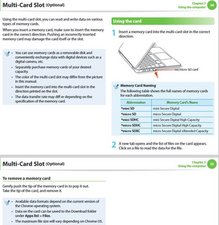
(click on image)
このアンサーは役に立ちましたか?
過去 24時間: 1
過去 7 日: 5
過去 30 日: 31
今までの合計 20,316



3 件のコメント
where can i buy a integrated ssd?
Because its ssd is dead &&^&
kristi shaho さんによる
So, is that it? You just remove it and soldier a new one? Is there anyway I can make this motherboard to work with another Chrome OS version? Where can I download it? Has anyone done that before?
Michele R さんによる
Is there a Sd Card that is inside of Samsung Chromebook 3 that is used as a Hard Drive or as a Solid State Drive?
Andrew Mulqueen さんによる