メインコンテンツにスキップ

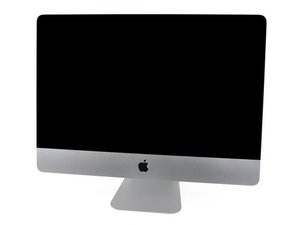
モデル番号A1311 / Mid 2010 / 3.06 & 3.2 GHz Core i3もしくは3.6 GHz Core i5プロセッサ

Can I upgrade my CPU and GPU?

Hello eveybody. I own an iMac with these specifications:

iMac 21.5" (Mid 2010)

Processor: 3.2 GHz Intel Core i3

Memory: 12 GB 1333 MHz DDR3

Graphics: ATI Radeon HD 5670 512 MB

I want to upgrade my CPU to an i5 or i7. Also I want to upgrade my graphics card. Can I do these upgrades? If YES, can you tell me exactly what parts do I need? (CPU model, Graphics Card model).

Thanks

回答がありました! 回答を表示 同じ問題があります

この質問は役に立ちましたか?

スコア 2
コメントを追加

4件の回答

ベストアンサー

Upgrading the processor and graphics card in any iMac is not something that is typically done or possible, in most cases. In order to upgrade your processor you would need to replace the entire logic board, which cost a lot of money and not worth doing. You may be able to upgrade the video card but you would have to buy a video card from apple that would be compatible with your iMac and again it would be very expensive. If you provide your serial number I can give you a better idea what options there are and pricing. Hope this helps!

このアンサーは役に立ちましたか?

スコア 0

1件のコメント:

Hey ACP. Thanks for your answer. Here is my S/N: QP1140J4DB7

さんによる

コメントを追加
最も参考になった回答

The actual answer is "it depends". If you have an iMac that came with a basic processor (like an i5) and want to upgrade it to a faster one (like an i7) then the next step is to check for an i7 that uses the same socket as the i5 that came with your system. The early/mid 2011 i5 iMac 27" uses an LGA 1156 socket, so it can be upgraded to an i7-860 which uses the same socket (2.86GHz quad core using 95 watts).

So you really have to do your homework and shop aggressively before making the decision on whether to jump into it or not.

As for the GPU, ACP nailed it with his answer

このアンサーは役に立ちましたか?

スコア 5

2 件のコメント:

I have found that the i7 870s and 860s work fine paired with the lower wattage psu found in these units. make sure they are the low wattage versions of the i7 and everything works fine.

さんによる

Since I posted this reply (10 years ago) some architecture changes have taken place. Not the least of these is the move toward and all Mx apple CPU.

My understanding is that many of these are soldered to the board to improve reliably under heat load (think of a press-fit pin/socket expanding and the contacts getting iffy).

Long story longer, it takes an eyeball of the motherboard to first see if there is a socket at all, then shop to see if there's ANY source outside of Apple for an Mx (I suspect not). Otherwise the Intel systems can still apply the original (match CPU to socket and power available).

IMO using a low-power CPU (thing like in laptops) is a false economy.

As long as you stay withing the ability of your power supply (CPU+GPU+Etc.):

The design is meant to extend battery life so what appears to be an equally-powerful CPU to a "desktop one" (standard power) and you find that the laptop version under-performs. I know, I found exactly that when moving from the above iMac 27" (upgraded CPU) to a Macbook Pro that cost twice as much and had a GPU whose name would indicate "more muscle". Man was I disappointed. To sip battery power, they sacrifice performance.

I eventually sold the laptop and have since being getting Mac Minis. My recommendation is if it's a Mac an iMac a Mac Mini or anything other than portable, get the full-blown version of the CPU you are considering because you have it plugged in and heat management is less of an issue.

さんによる

コメントを追加

I know I’m almost seven years late, but maybe someone else will find this helpful.

 ‍

For a 21.5” Mid-2010 iMac, the best CPU you can upgrade to is a Core i5-680 (https://ark.intel.com/content/www/us/en/...). You can get one for under $25 on eBay right now. I don’t believe it’s possible to upgrade to an i7 as all the i7 processors I can find that fit in this iMac’s CPU socket have a higher TDP. I think (but am not even close to certain) that if you want a quad-core CPU, a Xeon L3426 (https://ark.intel.com/content/www/us/en/...) might work; please don’t quote me on this though.

To upgrade the CPU, you’ll want to follow the iFixit guide: iMac Intel 21.5インチ EMC 2389のCPUの交換. I don’t know what ACP was saying about replacing the entire logic board in order to upgrade the processor—that’s just plain wrong.

 ‍

Regarding your question about the graphics card: I, too, am trying to find out what the best GPU upgrade is for a 21.5” Mid-2010 iMac. So far, the one you currently have is the best one that I know of that works. If anyone else does know of a better GPU for this iMac, I’d love to hear about it. I’ll also post an update if I find anything.

Here’s the iFixit guide for upgrading the GPU in a 21.5” Mid-2010 iMac: iMac Intel 21.5インチ EMC 2389のGPUカードの交換.

iMac Intel 21.5" EMC 2389 CPUの画像

ガイド

iMac Intel 21.5インチ EMC 2389のCPUの交換

難易度:

難しい

3 - 4 hours

iMac Intel 21.5" EMC 2389 GPUカードの画像

ガイド

iMac Intel 21.5インチ EMC 2389のGPUカードの交換

難易度:

難しい

50 minutes - 3 hours

このアンサーは役に立ちましたか?

スコア 2

1件のコメント:

This is awesome. Thanks Gabriel. I just picked up a mid 2010 21.5 inch iMac with the 3.02ghz i3 CPU.

In looking to upgrade it.

Looks like i5 it is.

Got it super cheap. $0 as the person was having trouble with it booting. No big issue, just a failing platter hdd.

I'll replace it with an SSD and throw in the i5. Got an extra stick of RAM to double the capacity.

Will be a lightning little machine once I'm done.

さんによる

コメントを追加

This initial answer is wrong but corrected by the subsequent posts. The iMac mi-2010 can be upgraded by all means: more RAM, SSD instead of HD, CPU (socket 1155 as long as the TDP is not too high) and a large choice of GPUs.

You will easily find pre-flashed for Mac GPUs. Installation is not trivial but not too difficult either, it just takes some time and follow cautiously the guide on iFixIt.

Keep in mind that to update macos to more recent versions, you will need OpenCore LegacyPatcher. Lots of information is available on the web on these topics…

This being said the architecture of the mid-2020 iMac is somewhat limiting, for instance the SSD can only work at 3 Gigabits instead of 6 on the following generation which takes a toll on the overall performance.

If you are going to open the iMac all the way to the GPU replacement, you might as well replace the i3 by an i5 (an i7 will not buy you much more performance).

Overall you may find it more effective to buy a 2013 iMac and only replace its GPU
このアンサーは役に立ちましたか?

スコア 0
コメントを追加

回答を追加する

Andrei Raileanu さん、ありがとうございました!
統計データ:

過去 24時間: 2

過去 7 日: 5

過去 30 日: 22

今までの合計 4,443