メインコンテンツにスキップ
リペアコミュニティに参加 - アカウントの作成

iPhone 4 Verizon Volume Buttons Replacement

閲覧: 1.3万

統計データ:

過去24時間:
4
過去7日:
23
過去30日:
135
今までの合計
13,411
コメント: 14

手順に関する14件のコメント.

完了済み: 18

18人のユーザーがこのガイドを「完了」させました。あなたも加わりませんか?

お気に入り: 55

55人のユーザーがこのガイドをお気に入りに登録しています。あなたもリストに入れませんか?

所要時間: 見積もりなし
難易度: 難しい
iPhone 4 Verizon Volume Buttons Replacement

はじめに

手順 1 に進む ↓

Use this guide to replace the metal volume buttons.

必要な工具と部品

パーツ

ツール

    1. iPhone 4 Verizon Volume Buttons Replacement, Rear Panel: 手順 1、 1の画像 1
      • Before you begin, discharge your iPhone battery below 25%. A charged lithium-ion battery can catch fire and/or explode if accidentally punctured.

      • Power off your iPhone before beginning disassembly.

      • Your phone's rear cover may have two #000 Phillips screws or Apple's 5-Point "Pentalobe" screws. Check which screws you have, and ensure you also have the correct screwdriver in order to remove them.

      • Remove the two 3.6 mm Pentalobe or Phillips #000 screws next to the dock connector.

      FixBotに聞いてみる

      コメントを追加

    2. iPhone 4 Verizon Volume Buttons Replacement: 手順 2、 2の画像 1 iPhone 4 Verizon Volume Buttons Replacement: 手順 2、 2の画像 2
      • Push the rear panel toward the top edge of the iPhone.

      • The panel will move about 2 mm.

      FixBotに聞いてみる

      コメントを追加

    3. iPhone 4 Verizon Volume Buttons Replacement: 手順 3、 1の画像 1
      • Pinch the rear panel with your fingers, and lift it away from the iPhone. Alternatively, use a Small Suction Cup .

      • Be careful not to damage the plastic clips attached to the rear panel.

      FixBotに聞いてみる

      コメントを追加

    1. iPhone 4 Verizon Volume Buttons Replacement, Battery: 手順 4、 1の画像 1
      • Remove the single 1.5 mm Phillips screw securing the battery connector to the logic board (if present).

      FixBotに聞いてみる

      コメントを追加

    2. iPhone 4 Verizon Volume Buttons Replacement: 手順 5、 1の画像 1
      • Use the edge of a plastic opening tool to gently pry the battery connector up from its socket on the logic board.

      • Be very careful to only pry up on the battery connector and not the socket on the logic board. If you pry up on the logic board socket, you may break it entirely.

      • Remove the metal clip covering the antenna connector.

      FixBotに聞いてみる

      コメントを追加

    3. iPhone 4 Verizon Volume Buttons Replacement: 手順 6、 2の画像 1 iPhone 4 Verizon Volume Buttons Replacement: 手順 6、 2の画像 2
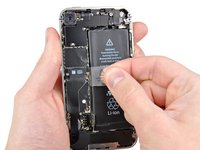
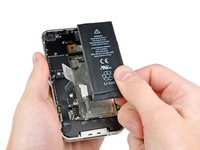
      • Pull up on the exposed clear plastic tab to peel the battery off the adhesive securing it to the iPhone.

      • If the tab breaks before the battery is freed, apply a few drops of high concentration (over 90%) isopropyl alcohol under the edge of the battery. Wait about one minute for the alcohol solution to weaken the adhesive. Carefully slide a spudger under the battery tab to release the adhesive.

      • Prying in other places may cause damage. Don't try to forcefully lever the battery out. If needed, apply a few more drops of alcohol to further weaken the adhesive. Never deform or puncture the battery with your pry tool.

      • If there's any alcohol solution remaining in the phone, carefully wipe it off or allow it to air dry before installing your new battery.

      • Remove the battery.

      • If your replacement battery came in a plastic sleeve, remove it before installation by pulling it away from the the ribbon cable.

      • Before reassembly, clean metal-to-metal contact points with a de-greaser such as windex. The oils from your fingers have the potential to cause wireless interference issues.

      • Perform a hard reset after reassembly. This can prevent several issues and simplify troubleshooting.

      FixBotに聞いてみる

      コメントを追加

    1. iPhone 4 Verizon Volume Buttons Replacement, Volume Buttons: 手順 7、 1の画像 1
      • Remove the three 1.6 mm Phillips screws securing the volume button bracket to the outer case.

      FixBotに聞いてみる

      コメントを追加

    2. iPhone 4 Verizon Volume Buttons Replacement: 手順 8、 1の画像 1
      この手順で使用する道具:
      Tweezers
      $4.99
      • Pull the volume bracket slightly away from the outer case.

      • Use a pair of tweezers to remove the volume buttons from the iPhone.

      FixBotに聞いてみる

      コメントを追加

終わりに

To reassemble your device, follow these instructions in reverse order.

キャンセル: このガイドを終了できませんでした。

18 の人々がこのガイドを完成させました。

作成者

と共同で作成されました。

Andrew Bookholt

602,410 ポイント

619のガイドは作成済み

0件のガイドコメント

コメントを追加

統計データ:

過去 24時間: 4

過去 7 日: 23

過去 30 日: 135

今までの合計 13,411