はじめに
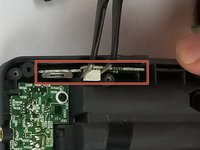
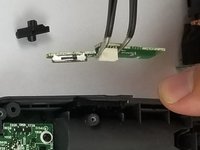
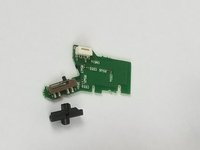
The power switch is located on the bottom, left side of the device. Connected to the switch is its circuit. When the switch doesn't work, it means that the circuit will have to be replaced. This will require the button board, as well as the motherboard, to be removed in order to reach the circuit.
必要な工具と部品
-
-
-
Gently remove three ribbon connectors from the device.
-
The first is connected to the mic connector.
-
The second is connected to the base of the device, and the third is connected to the power switch on the side of the device; turn the device 180 degrees, and the connectors are near the top of the device next to the "LINE OUT" plug-in (directly behind the device display).
-
-
この手順で使用する道具:Tweezers$4.99
-
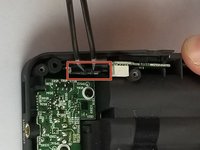
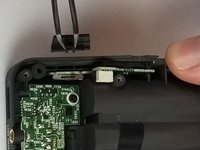
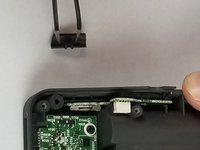
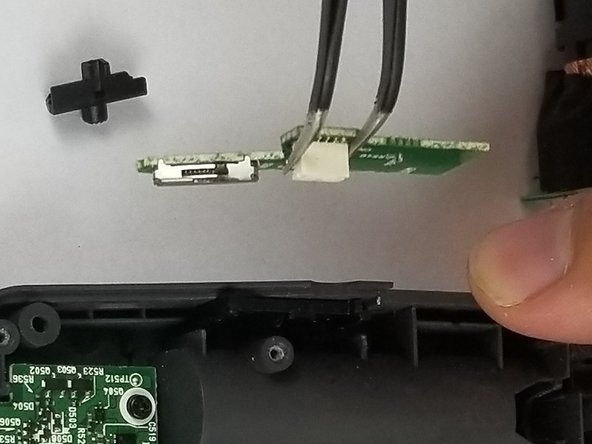
Use tweezers to lift the power switch out and set aside.
-




To reassemble your device, follow these instructions in reverse order.
2 の人々がこのガイドを完成させました。



チーム

USF Tampa, Team S5-G2, Eyestone Spring 2018 USF Tampa, Team S5-G2, Eyestone Spring 2018人のメンバー
USFT-EYESTONE-S18S5G2
4 メンバー
10のガイドは作成済み
5件のガイドコメント
where can i buy the power switch?
Are the parts available anywhere?
Stan Moore - 返信
If anybody still needs parts, you can get them here: https://shop.audiotronic.fr/en/61-h6
You get get pretty much all the Parrrts for Zoom devices here:
https://shop.sonj.fr/en/3-zoom
