メインコンテンツにスキップ
リペアコミュニティに参加 - アカウントの作成

Xbox Controller S Buttons Replacement Guide

必要な工具と部品

  1. Xbox Controller S Buttons Replacement Guide, Backplate: 手順 1、 2の画像 1 Xbox Controller S Buttons Replacement Guide, Backplate: 手順 1、 2の画像 2
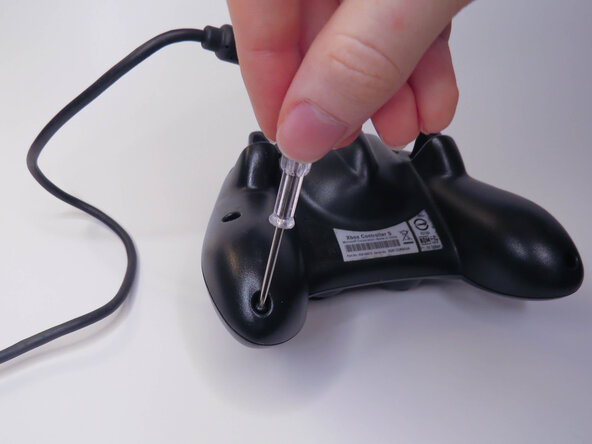
    • Remove the six visible 8mm Phillips screws with a #1 Phillips screwdriver.

  2. Xbox Controller S Buttons Replacement Guide: 手順 2、 2の画像 1 Xbox Controller S Buttons Replacement Guide: 手順 2、 2の画像 2
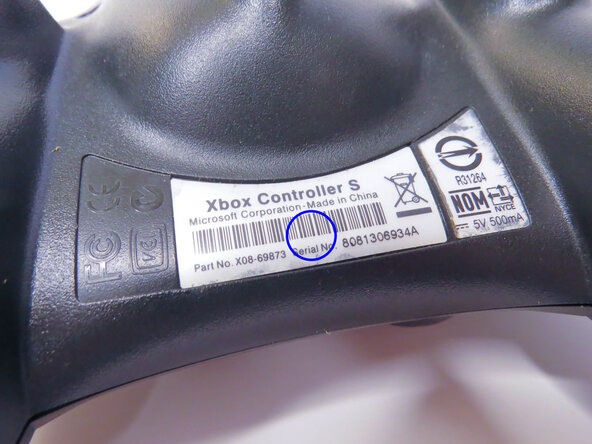
    • Peel back the barcode sticker to reveal the seventh Phillips screw and remove it.

  3. Xbox Controller S Buttons Replacement Guide: 手順 3、 3の画像 1 Xbox Controller S Buttons Replacement Guide: 手順 3、 3の画像 2 Xbox Controller S Buttons Replacement Guide: 手順 3、 3の画像 3
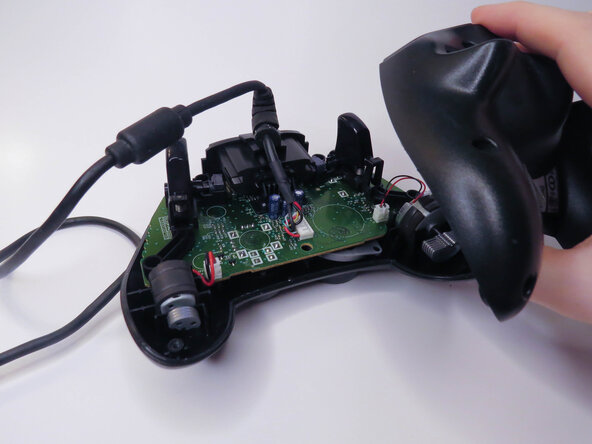
    • Carefully lift the backplate off of the controller.

    • Make sure to hold the frontplate to prevent the buttons from falling out.

  4. Xbox Controller S Buttons Replacement Guide, Vibration Motors: 手順 4、 3の画像 1 Xbox Controller S Buttons Replacement Guide, Vibration Motors: 手順 4、 3の画像 2 Xbox Controller S Buttons Replacement Guide, Vibration Motors: 手順 4、 3の画像 3
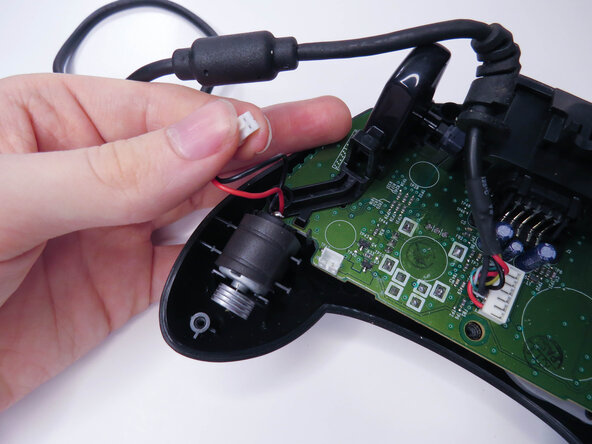
    • Unplug the two vibration motors and lift them out of the case, being sure not to pull on the wires.

  5. Xbox Controller S Buttons Replacement Guide, Logic Board: 手順 5、 2の画像 1 Xbox Controller S Buttons Replacement Guide, Logic Board: 手順 5、 2の画像 2
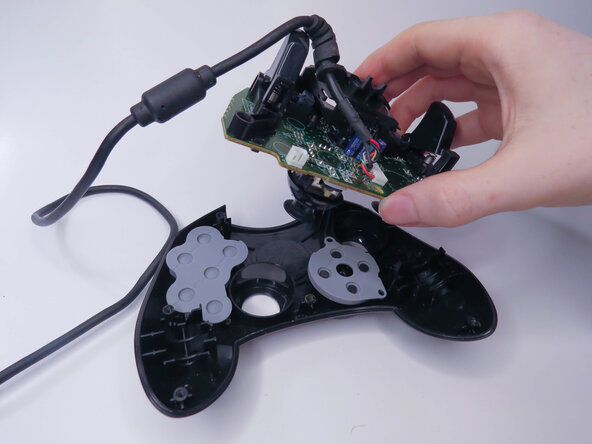
    • Lift the logic board out of the controller.

  6. Xbox Controller S Buttons Replacement Guide, Rubber Pads: 手順 6、 3の画像 1 Xbox Controller S Buttons Replacement Guide, Rubber Pads: 手順 6、 3の画像 2 Xbox Controller S Buttons Replacement Guide, Rubber Pads: 手順 6、 3の画像 3
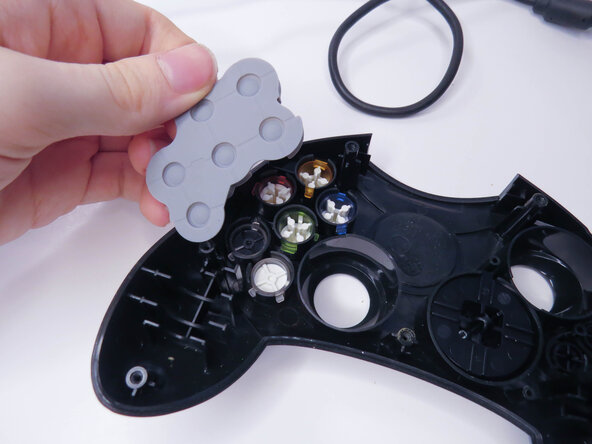
    • Remove the rubber pads.

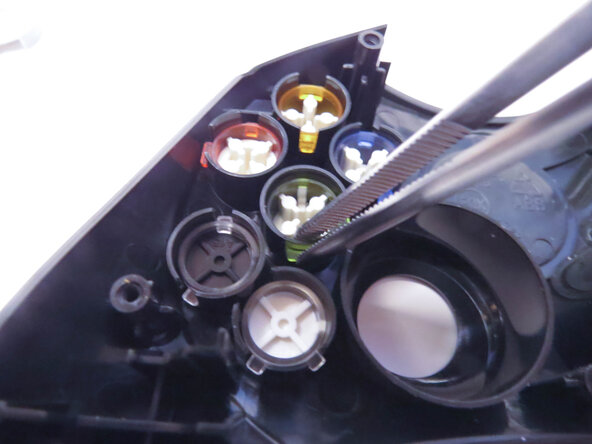
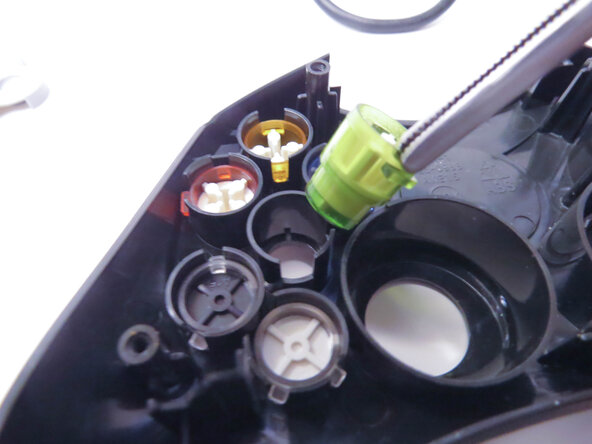
  7. Xbox Controller S Buttons Replacement Guide, Buttons: 手順 7、 3の画像 1 Xbox Controller S Buttons Replacement Guide, Buttons: 手順 7、 3の画像 2 Xbox Controller S Buttons Replacement Guide, Buttons: 手順 7、 3の画像 3
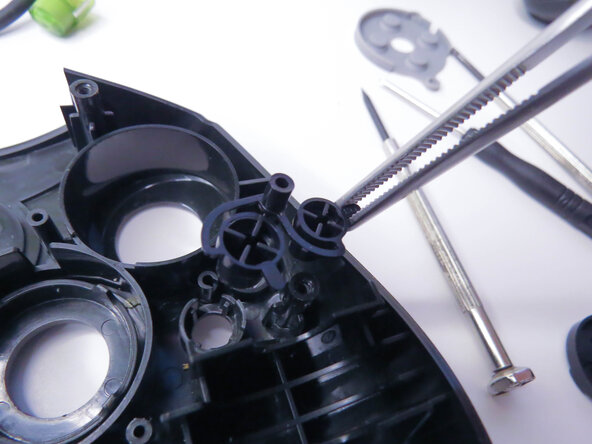
    • Remove the A, B, X, Y, White, and Black buttons with a pair of tweezers.

    • Remove the Back and Start buttons.

    • When putting the buttons back in, make sure to align the notches with the case.

  8. Xbox Controller S Buttons Replacement Guide, D-Pad: 手順 8、 3の画像 1 Xbox Controller S Buttons Replacement Guide, D-Pad: 手順 8、 3の画像 2 Xbox Controller S Buttons Replacement Guide, D-Pad: 手順 8、 3の画像 3
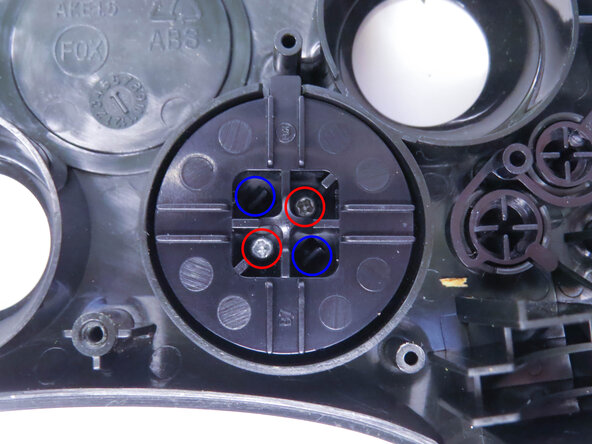
    • Unscrew the the two 7mm Phillips screws.

    • Separate the D-pad by pushing the two clips in with a pair of tweezers.

  9. Xbox Controller S Buttons Replacement Guide: 手順 9、 1の画像 1
    • Separate the two halves of the D-pad.

    • The front half of the D-pad will fall when you take the back half out, be sure to catch it.

終わりに

To reassemble your device, follow these instructions in reverse order, being careful to line everything back up.

作成者

1人の作成者と共同作成されました。

burntpizza

メンバー登録日: 11/17/25

169 ポイント

1ガイドが承認済み

0件のガイドコメント

コメントを追加

統計データ:

過去 24時間: 0

過去 7 日: 5

過去 30 日: 40

今までの合計 212