この翻訳は機械によって生成されたものであり、まだ人間による校正は行われていません。 日本語を話せますか? レビューはこちらから。

ThinkPad Yoga 12のバッテリー交換

[deleted] とその他
最終更新日: 2026年10月5日
閲覧: 7822
統計データ:
- 過去24時間:
- 0
- 過去7日:
- 19
- 過去30日:
- 72
- 今までの合計
- 7,822
コメント: 2
手順に関する1件のコメント, 1件のガイドコメント
修理ガイドのコメントへ完了済み: 9 10
9人のユーザーがこのガイドを「完了」させました。あなたも加わりませんか?
あなたを含む、10人のユーザーがこのガイドを使って修理を「完了」させました。素晴らしいです!
お気に入り: 1 2
1人のユーザーがこのガイドをお気に入りに登録しています。あなたもリストに入れませんか?
あなたを含む、2人のユーザーがこのガイドをお気に入りに登録しています。
コミュニティメンバーによる寄稿ガイド
iFixitコミュニティーの素晴らしいメンバーがこのガイドを作成しました。iFixitスタッフによって作成されたものではありません。
はじめに
手順 1 に進む ↓これで、コンピューターのバッテリーがようやく1時間以上持つようになります。
必要な工具と部品


 FixBotに聞いてみる


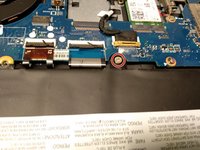
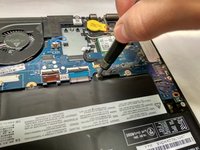


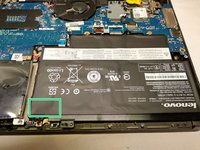
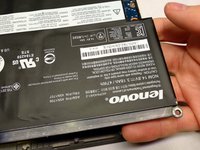


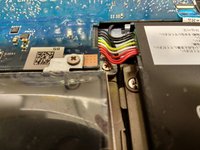
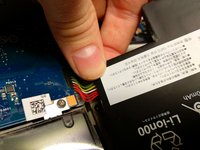
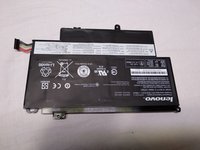
デバイスを再組み立てするには、これらのインストラクションを逆の順番に従って作業を進めてください。
9 の人々がこのガイドを完成させました。

1件のガイドコメント
These directions (and those for replacing the SSD) were very helpful. Everything worked well for about a week after which time the battery started having charging problems (again). The computer will start to charge, get to ~25% at which point the machine reports that it’s charging, but doesn’t get beyond ~25%. “Troubleshooting” in Win 10 doesn’t reveal any troubles to shoot. I am now trying to figure out whether the problem is with the new (supposedly Lenovo-brand) battery or perhaps the power cord. Any suggestions?
