メインコンテンツにスキップ

TRESWAVE TW102 Battery Replacement

必要な工具と部品

  1. TRESWAVE TW102 Battery Replacement, Remove the back.: 手順 1、 3の画像 1 TRESWAVE TW102 Battery Replacement, Remove the back.: 手順 1、 3の画像 2 TRESWAVE TW102 Battery Replacement, Remove the back.: 手順 1、 3の画像 3
    • Remove the back of the phone. This can be done with your hands.

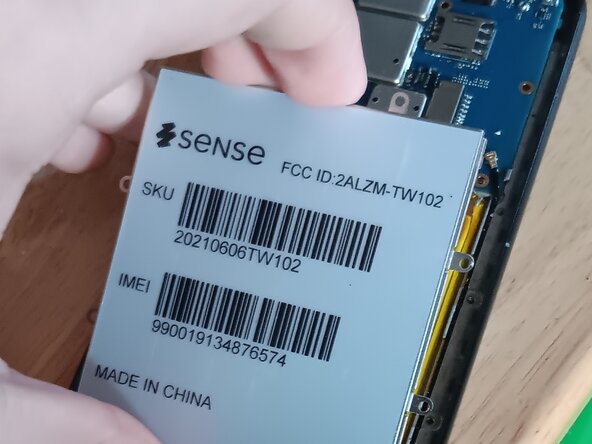
    • Remove the screws to remove the second layer of protection, and the battery cover.

    • Be careful when taking off the second layer. The fingerprint sensor needs to be unplugged. Lift the cover a bit, unplug and sensor and keep going. Do not be forceful.

  2. TRESWAVE TW102 Battery Replacement, Remove the battery cover.: 手順 2、 3の画像 1 TRESWAVE TW102 Battery Replacement, Remove the battery cover.: 手順 2、 3の画像 2 TRESWAVE TW102 Battery Replacement, Remove the battery cover.: 手順 2、 3の画像 3
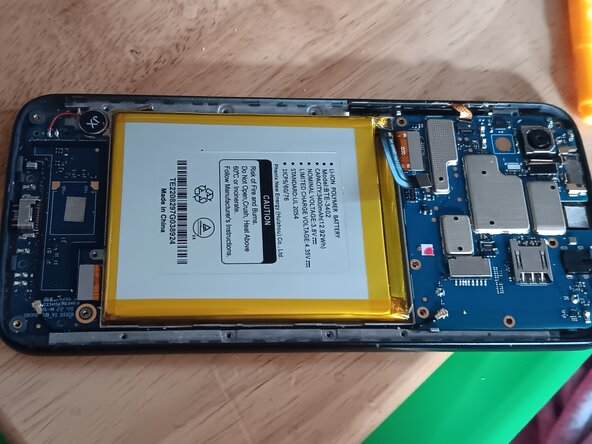
    • Take off the battery cover, you can do this with your hands.

    • Be CAREFUL! Puncturing the battery can result in an explosion and/or fire. Continue at your own risk.

    • The battery has a very strong adhesive. Go slow and be patient so you don't puncture the battery.

終わりに

Put the screws all back and place and everything should be simple to put back together.

2 の人々がこのガイドを完成させました。

作成者

1人の作成者と共同作成されました。

Kyeler W

メンバー登録日: 03/04/25

2,773 ポイント

15のガイドは作成済み

0件のガイドコメント

コメントを追加

統計データ:

過去 24時間: 2

過去 7 日: 6

過去 30 日: 20

今までの合計 326