メインコンテンツにスキップ

Sharp EL-W535XG Battery Replacement

必要な工具と部品

  1. Sharp EL-W535XG Battery Replacement, Battery: 手順 1、 2の画像 1 Sharp EL-W535XG Battery Replacement, Battery: 手順 1、 2の画像 2
    • Turn off the calculator by pressing both the [2NDF ] and [ON] buttons at the same time.

  2. Sharp EL-W535XG Battery Replacement: 手順 2、 1の画像 1
    • Flip the calculator so that the battery cover is facing you, and it will be easy to remove.

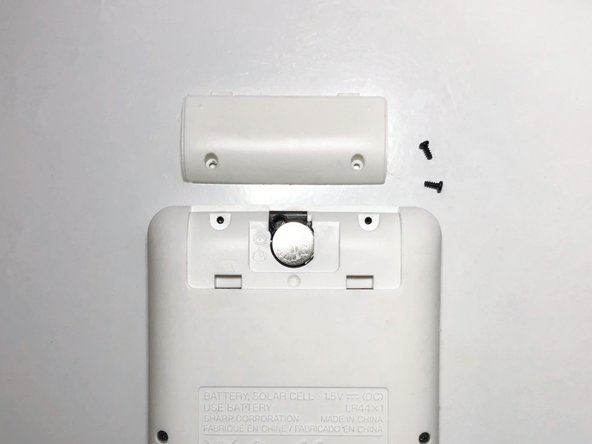
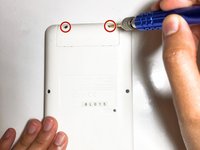
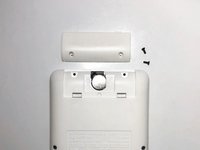
  3. Sharp EL-W535XG Battery Replacement: 手順 3、 2の画像 1 Sharp EL-W535XG Battery Replacement: 手順 3、 2の画像 2
    • Remove the two screws securing the battery cover with the Tri-point #000 screwdriver.

    • Remove the battery cover.

    • Make sure not to remove the other screws on the calculator, just the two screws on the battery cover.

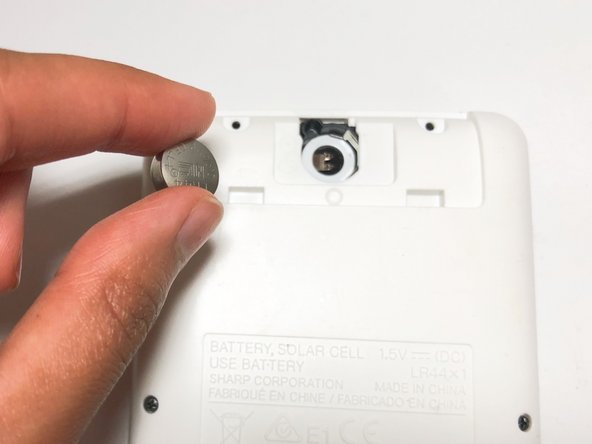
  4. Sharp EL-W535XG Battery Replacement: 手順 4、 2の画像 1 Sharp EL-W535XG Battery Replacement: 手順 4、 2の画像 2
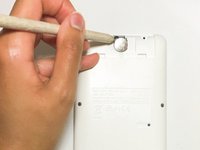
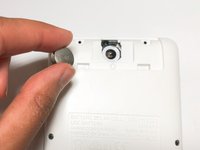
    • Remove the worn-out LR44 battery inside using a spudger.

  5. Sharp EL-W535XG Battery Replacement: 手順 5、 1の画像 1
    • Gently insert the new LR44 battery in the empty battery slot.

  6. Sharp EL-W535XG Battery Replacement: 手順 6、 1の画像 1
    • Place and screw the battery cover on using the Tri-point #000 screwdriver.

    • Tightly screw the battery cover to prevent losing screws.

終わりに

To reassemble your device, follow these instructions in reverse order.

作成者

2人の作成者と共同で作成されました。

Faduma Hagi

メンバー登録日: 09/14/21

133 ポイント

1ガイドが承認済み

チーム

York University, Team 1-7, O'Regan Fall 2021 York University, Team 1-7, O'Regan Fall 2021人のメンバー

YORK-O'REGAN-F21S1G7

1 メンバー

1のガイドは作成済み

0件のガイドコメント

コメントを追加

統計データ:

過去 24時間: 4

過去 7 日: 12

過去 30 日: 41

今までの合計 2,207