メインコンテンツにスキップ
リペアコミュニティに参加 - アカウントの作成

Samsung NP-QX411L Battery Replacement

必要な工具と部品

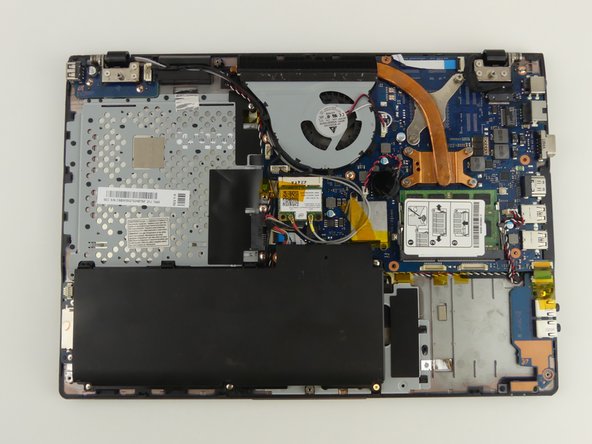
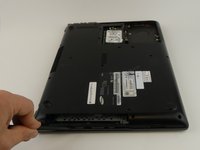
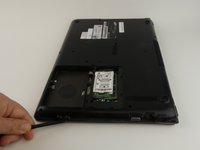
  1. Samsung NP-QX411L Battery Replacement, Optical Drive: 手順 1、 2の画像 1 Samsung NP-QX411L Battery Replacement, Optical Drive: 手順 1、 2の画像 2
    • Flip the laptop over.

    • Remove the 6 mm screw with the Phillips #000 screwdriver.

  2. Samsung NP-QX411L Battery Replacement: 手順 2、 1の画像 1
    • Slide out the optical drive to remove it.

  3. Samsung NP-QX411L Battery Replacement, Hard Drive: 手順 3、 2の画像 1 Samsung NP-QX411L Battery Replacement, Hard Drive: 手順 3、 2の画像 2
    • Put on the anti-static wristband and connect the attached alligator clip to a metal object. This will prevent you from shocking the motherboard.

    • Flip the laptop.

    • Use the Phillips #000 screwdriver to unscrew the 6 mm screw from the square panel.

  4. Samsung NP-QX411L Battery Replacement: 手順 4、 2の画像 1 Samsung NP-QX411L Battery Replacement: 手順 4、 2の画像 2
    • Gently wedge the spudger under the square panel.

    • Run the spudger under the edges of the square panel to loosen it.

    • Remove the panel.

  5. Samsung NP-QX411L Battery Replacement: 手順 5、 1の画像 1
    • Remove the hard drive slowly because it is still connected to a wire.

    • Pull up on the rubber flap or use the spudger to lift the hard drive.

  6. Samsung NP-QX411L Battery Replacement: 手順 6、 1の画像 1
    • Remove the hard drive by gently pulling the power connector at the base of the wire off. You can do this by pulling the connector away from the hard drive.

  7. Samsung NP-QX411L Battery Replacement, Battery: 手順 7、 1の画像 1
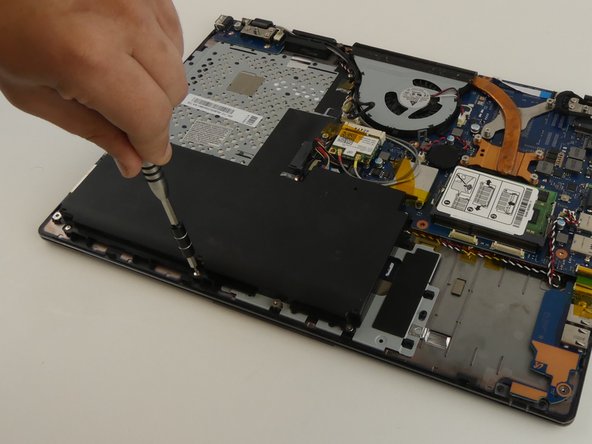
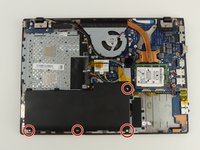
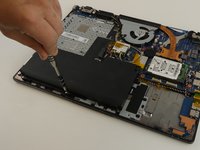
    • Use the Phillips #000 screwdriver to remove the 6 mm screw.

  8. Samsung NP-QX411L Battery Replacement: 手順 8、 2の画像 1 Samsung NP-QX411L Battery Replacement: 手順 8、 2の画像 2
    この手順で使用する道具:
    Tweezers
    $4.99
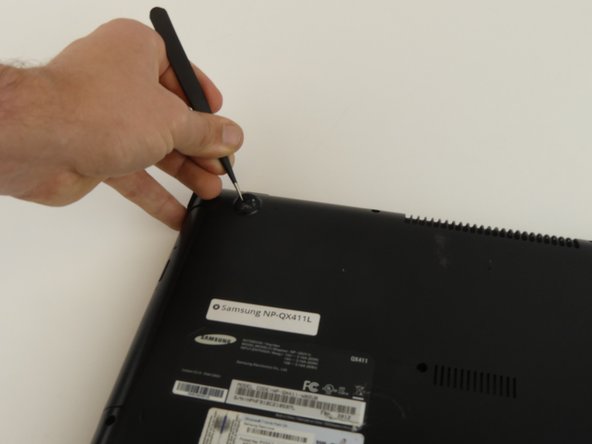
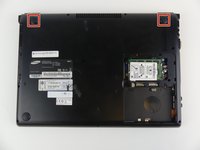
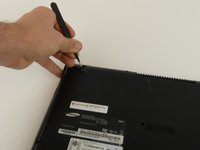
    • Remove the top two rubber stoppers by grasping them with the precision tweezers and pulling up.

  9. Samsung NP-QX411L Battery Replacement: 手順 9、 1の画像 1
    • Remove nine 6mm cover screws using the Phillips #000 screwdriver.

  10. Samsung NP-QX411L Battery Replacement: 手順 10、 3の画像 1 Samsung NP-QX411L Battery Replacement: 手順 10、 3の画像 2 Samsung NP-QX411L Battery Replacement: 手順 10、 3の画像 3
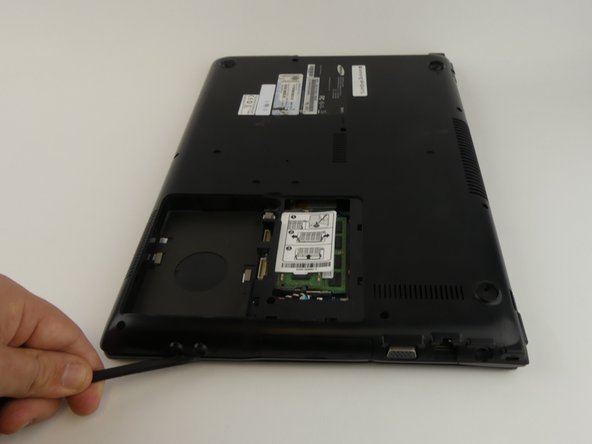
    • Wedge the spudger under the cover and run it along the edges.

    • Pry the cover up with the spudger to remove it.

  11. Samsung NP-QX411L Battery Replacement: 手順 11、 2の画像 1 Samsung NP-QX411L Battery Replacement: 手順 11、 2の画像 2
    • Remove the four 3 mm screws using the Phillips #000 screwdriver.

  12. Samsung NP-QX411L Battery Replacement: 手順 12、 1の画像 1
    • A wire is still connecting the battery to the motherboard.

    • Lift and slide the battery out from under the three plastic prongs.

  13. Samsung NP-QX411L Battery Replacement: 手順 13、 1の画像 1
    • Grab the wires and gently pull them away from the motherboard.

終わりに

To reassemble your device, follow these instructions in reverse order.

3 の人々がこのガイドを完成させました。

作成者

5人の作成者と共同で作成されました。

Rebecca Johnson

メンバー登録日: 02/17/17

594 ポイント

5のガイドは作成済み

チーム

USF Tampa, Team S19-G3, Hoffman Spring 2017 USF Tampa, Team S19-G3, Hoffman Spring 2017人のメンバー

USFT-HOFFMAN-S17S19G3

4 メンバー

5のガイドは作成済み

1件のガイドコメント

Pardon the interruption, but do you potentially have a tutorial on how to replace the keyboard on this laptop? I am having problems finding an acceptable-enough tutorial on how to do it, yet I need such a tutorial as the process seems quite daunting.

Thanks,

Random Person on the Internet

Anonymous Schmuck - 返信 共有

コメントを追加

統計データ:

過去 24時間: 0

過去 7 日: 10

過去 30 日: 44

今までの合計 4,434