はじめに
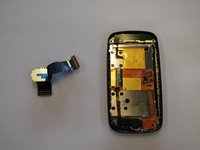
How to remove & replace the phone's LCD flex cable.
必要な工具と部品
-
-
Orient the phone with the screen facing downward.
-
Slide the panel away from the camera using your thumb. This will expose the battery.
-
-
-
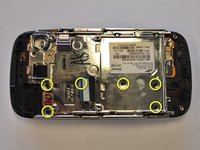
Remove the six 3.5 mm screws using a Phillips #000 screwdriver. Unscrew in a counterclockwise direction.
-
-
-
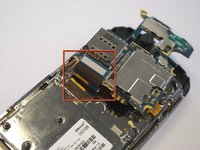
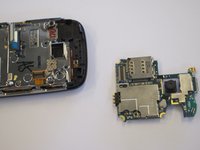
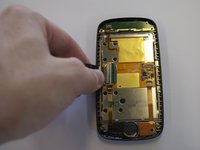
Gently remove the black wire to free the circuit board.
-
Remove the wire by gently prying up the gold terminator attached to the green circuit board.
-
-
-
Remove the two base screws along the edge of the silver piece, where you just removed the black end piece.
-
The screws are 2.7mm in length.
-
The bottom black end cap will snap out.
-
-
-
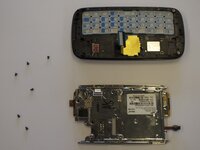
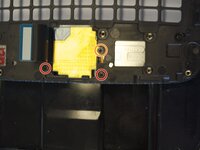
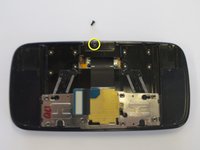
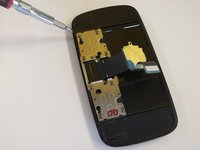
Remove the 3 screws holding down the flex cable.
-
The two screws on the black frame are 2.0 mm in length.
-
The top right screw that goes through the circle port on the flex cable is 2.3 mm.
-
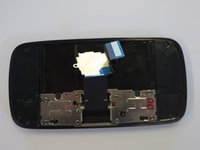
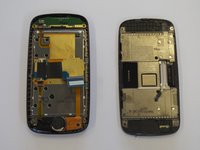
Remove the keyboard slider frame. The flex cable should be exposed, but not free.
-










To reassemble your device, follow these instructions in reverse order.
2 の人々がこのガイドを完成させました。



チーム

Cal Poly, Team 8-10, Regan Spring 2011 Cal Poly, Team 8-10, Regan Spring 2011人のメンバー
CPSU-REGAN-S11S8G10
4 メンバー
23のガイドは作成済み
