この翻訳は機械によって生成されたものであり、まだ人間による校正は行われていません。 日本語を話せますか? レビューはこちらから。

Samsung Galaxy Tab 3 10.1 リアカメラの交換

Corey Brown とその他
最終更新日: 2026年8月16日
閲覧: 1597
統計データ:
- 過去24時間:
- 3
- 過去7日:
- 16
- 過去30日:
- 75
- 今までの合計
- 1,597
コメント: 15
手順に関する14件のコメント, 1件のガイドコメント
修理ガイドのコメントへ完了済み: 2 3
2人のユーザーがこのガイドを「完了」させました。あなたも加わりませんか?
あなたを含む、3人のユーザーがこのガイドを使って修理を「完了」させました。素晴らしいです!
お気に入り: 0 1
誰もこのガイドをお気に入りに登録していません。一番最初の登録者になりませんか?
1人がこのガイドをお気に入りに登録しています。あなたもそのうちの一人です!
必要な工具と部品
パーツ
ツール


-
-
-
リアケースとプラスチックリムの間にオープニングピックを差し込む。
-
リアケースをディスプレイに固定しているプラスチックのクリップが外れるまで、リアケースの縁に沿ってピックをスライドさせる。
-
すべてのクリップが解放されるまで、リアケースの縁に沿ってピックをスライドさせ続ける。
 FixBotに聞いてみる
-
-
-
-
-
この手順で使用する道具:Tweezers$4.99
-
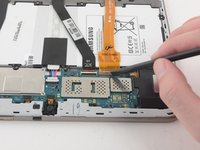
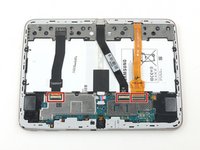
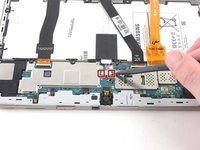
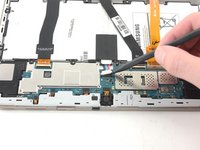
スパッジャーの平らな先端を使用して、マザーボードからプレスフィットコネクタを上にこじ開けます。
-
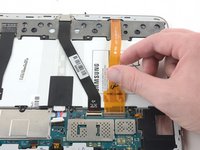
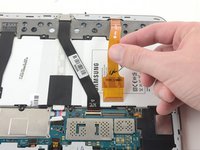
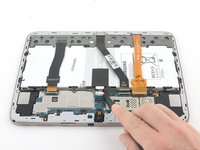
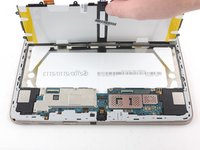
ピンセットを使用して、カメラをゆっくりと上に引き上げて取り外します。ピンセット
-
-


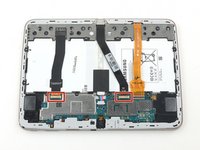
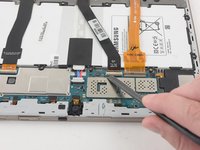
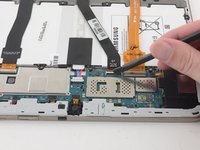


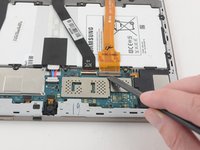








デバイスを再組み立てするには、これらのインストラクションを逆の順番に従って作業を進めてください。
2 の人々がこのガイドを完成させました。

1件のガイドコメント
I have noticed a couple of things on this article, so I figured i'd put them here.
The disconnection of the ZIF Ribbon cables doesn't seem necessary for the repair at all, & the complete removal of the battery from the chassis is unnecessary as well.
The camera is a small, singular part that doesn't connect to anything else.
For safety's sake, I'd personally still recommend you disconnect the battery, to ensure there's no power flowing through the system, but complete removal is highly unnecessary.
oneiricNomad - 返信 共有
