メインコンテンツにスキップ

Retroid Pocket 3 Button Pad Replacement

必要な工具と部品

  1. Retroid Pocket 3 Button Pad Replacement, Battery: 手順 1、 1の画像 1
    • Unplug any cables connected to the Retroid Pocket 3+.

    • Ensure your device has a charge of 5% or less as a charged battery can be dangerous if punctured.

  2. Retroid Pocket 3 Button Pad Replacement: 手順 2、 3の画像 1 Retroid Pocket 3 Button Pad Replacement: 手順 2、 3の画像 2 Retroid Pocket 3 Button Pad Replacement: 手順 2、 3の画像 3
    • Remove the four 6 mm screws from the backplate of the device with a T5 Torx screwdriver.

    • Use a plastic opening tool or spudger to gently pry apart the backplate from the device.

  3. Retroid Pocket 3 Button Pad Replacement: 手順 3、 2の画像 1 Retroid Pocket 3 Button Pad Replacement: 手順 3、 2の画像 2
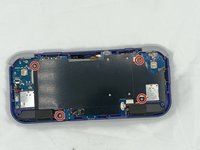
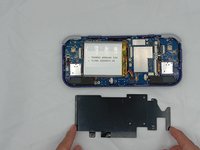
    • Remove the four 4.5 mm screws with a Phillips #00 screwdriver.

    • Lift off the metal plate.

  4. Retroid Pocket 3 Button Pad Replacement: 手順 4、 3の画像 1 Retroid Pocket 3 Button Pad Replacement: 手順 4、 3の画像 2 Retroid Pocket 3 Button Pad Replacement: 手順 4、 3の画像 3
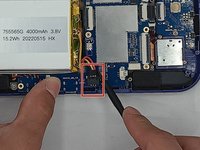
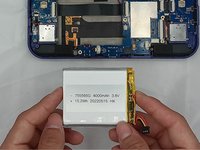
    • Use a plastic opening tool or spudger to unclip the battery connector.

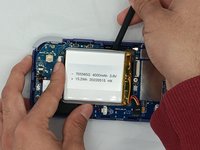
    • Carefully lift the battery from the case.

    • The battery has double-sided tape at the bottom. Gently push a spudger or opening tool underneath the battery to help free it from the adhesive. Do not bend or puncture the battery.

    • Lift and remove the battery.

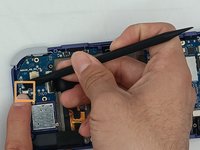
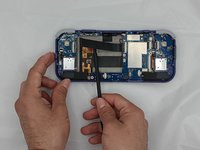
  5. Retroid Pocket 3 Button Pad Replacement, Button Pad: 手順 5、 3の画像 1 Retroid Pocket 3 Button Pad Replacement, Button Pad: 手順 5、 3の画像 2 Retroid Pocket 3 Button Pad Replacement, Button Pad: 手順 5、 3の画像 3
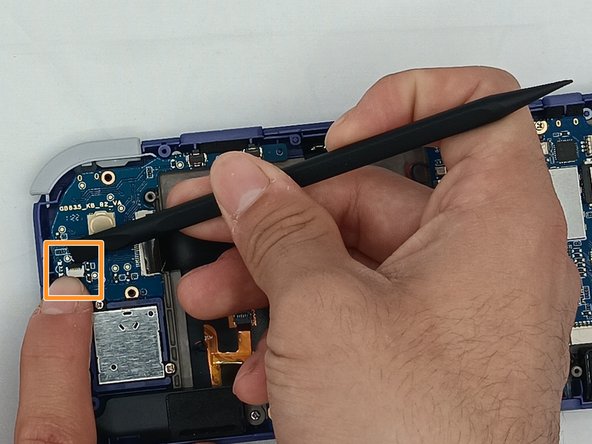
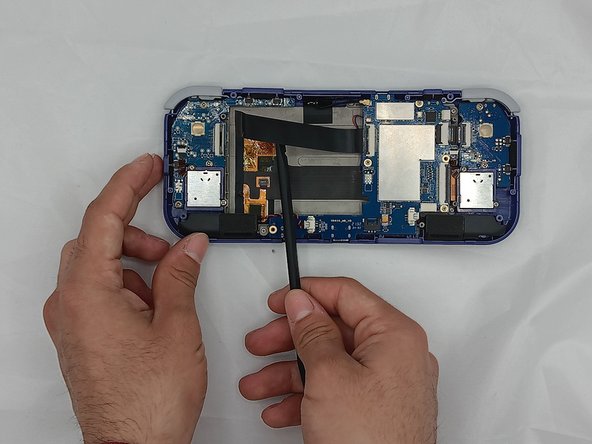
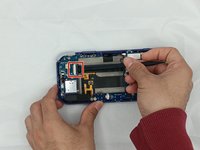
    • Undo the ribbon cable clips using the Spudger tool.

    • Unclip the cable on the left side of the board.

    • Carefully lift the ribbon cable to the right to remove it from the clip.

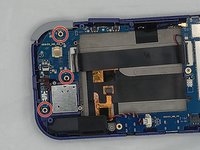
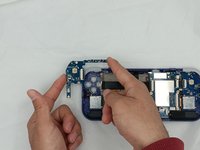
  6. Retroid Pocket 3 Button Pad Replacement: 手順 6、 2の画像 1 Retroid Pocket 3 Button Pad Replacement: 手順 6、 2の画像 2
    • Use a Phillips #00 screwdriver to remove the three 5.9 mm screws from the controller board.

    • Carefully lift the board out of the device.

  7. Retroid Pocket 3 Button Pad Replacement: 手順 7、 2の画像 1 Retroid Pocket 3 Button Pad Replacement: 手順 7、 2の画像 2
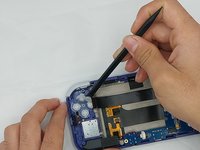
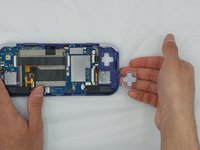
    • Using the Spudger tool, put the tip under the edge of the rubber button pad to start lifting it.

    • Button pad will loosen and lift straight out of the casing.

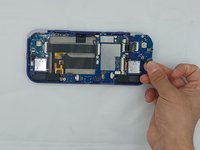
  8. Retroid Pocket 3 Button Pad Replacement: 手順 8、 1の画像 1
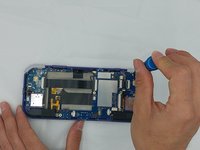
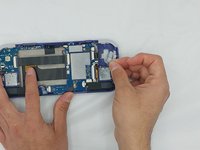
    • Move to the right side of the device.

    • Using a spudger, undo the ribbon cable clip connected to the main PCB along with the joystick ribbon cable.

  9. Retroid Pocket 3 Button Pad Replacement: 手順 9、 3の画像 1 Retroid Pocket 3 Button Pad Replacement: 手順 9、 3の画像 2 Retroid Pocket 3 Button Pad Replacement: 手順 9、 3の画像 3
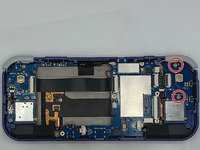
    • Use a Phillips #00 screwdriver to remove the two 5.9 mm screws.

    • Carefully lift the board out of the device.

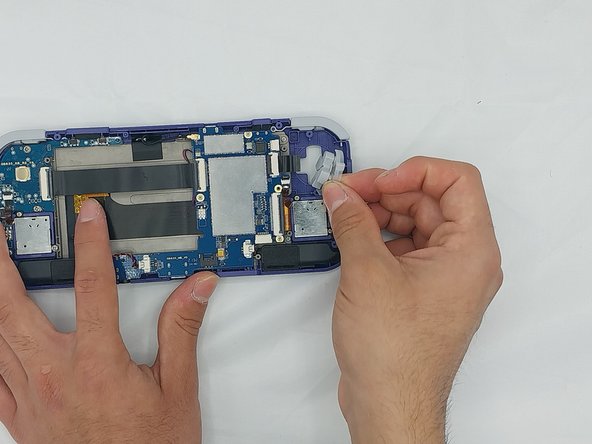
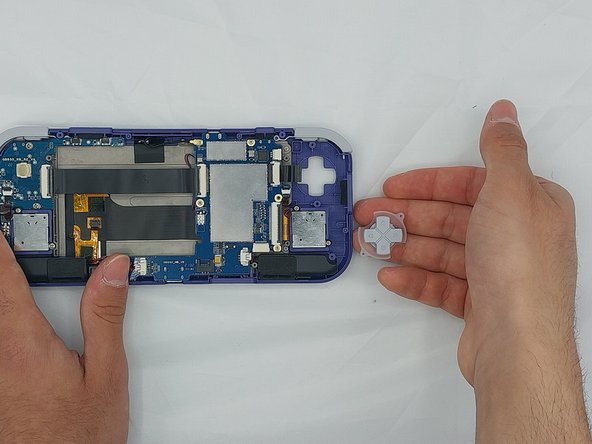
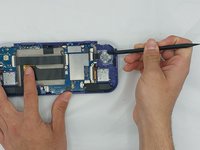
  10. Retroid Pocket 3 Button Pad Replacement: 手順 10、 3の画像 1 Retroid Pocket 3 Button Pad Replacement: 手順 10、 3の画像 2 Retroid Pocket 3 Button Pad Replacement: 手順 10、 3の画像 3
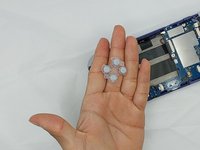
    • Carefully pry up the silicone button pad with a Spudger tool.

終わりに

To reassemble your device, follow these instructions in reverse order.

作成者

3人の作成者と共同で作成されました。

Cassidy Anderson

メンバー登録日: 02/08/24

241 ポイント

2のガイドは作成済み

チーム

University of North Texas, Team 4-7, Harold Spring 2024 University of North Texas, Team 4-7, Harold Spring 2024人のメンバー

UNT-HAROLD-S24S4G7

4 メンバー

6のガイドは作成済み

0件のガイドコメント

コメントを追加

統計データ:

過去 24時間: 2

過去 7 日: 8

過去 30 日: 38

今までの合計 879