メインコンテンツにスキップ

Replace faultly digit

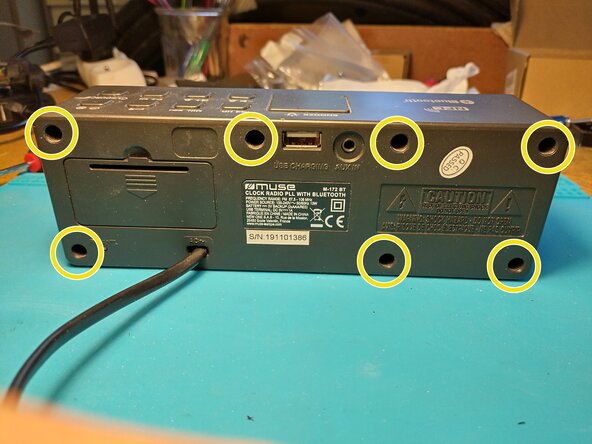
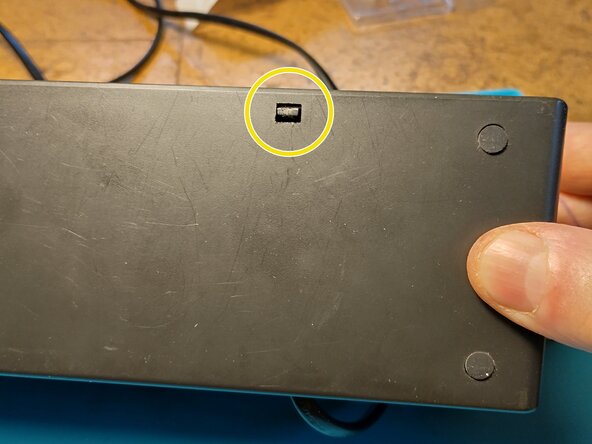
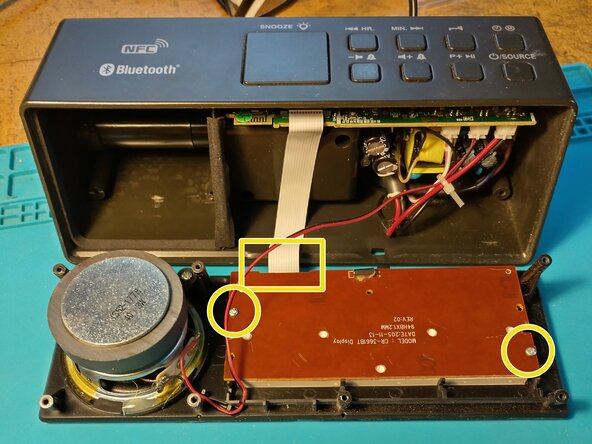
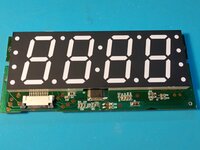
  1. Replace faultly digit, Display digit: 手順 1、 3の画像 1 Replace faultly digit, Display digit: 手順 1、 3の画像 2 Replace faultly digit, Display digit: 手順 1、 3の画像 3
    • Unplug the power supply from the wall, remove batteries.

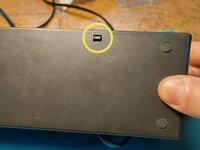
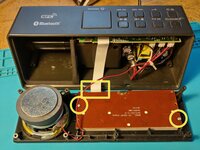
    • Unscrew x7 and open the device by unlocking the plastic clip on the bottom face.

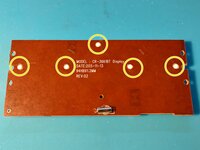
    • On the rear of the display panel, unscrew x2 and unclip the flat cable.

  2. Replace faultly digit: 手順 2、 3の画像 1 Replace faultly digit: 手順 2、 3の画像 2 Replace faultly digit: 手順 2、 3の画像 3
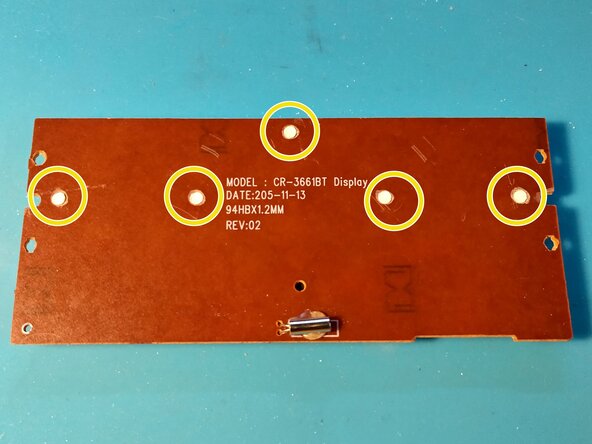
    • We want to separate the digit support from the PCB to access the leds.

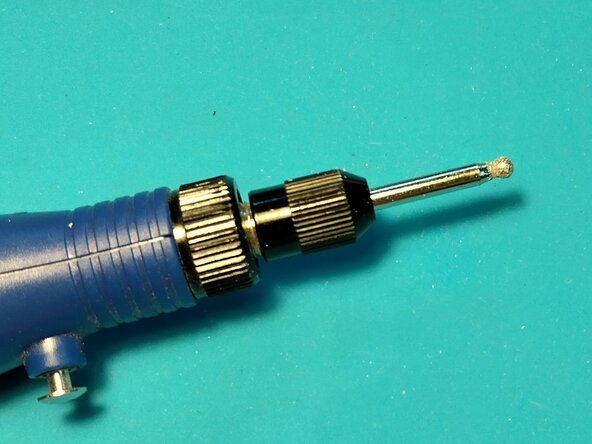
    • On the back, mill the white clips to free the PCB from the digit support. I used a Dremel like tool.

  3. Replace faultly digit: 手順 3、 2の画像 1 Replace faultly digit: 手順 3、 2の画像 2
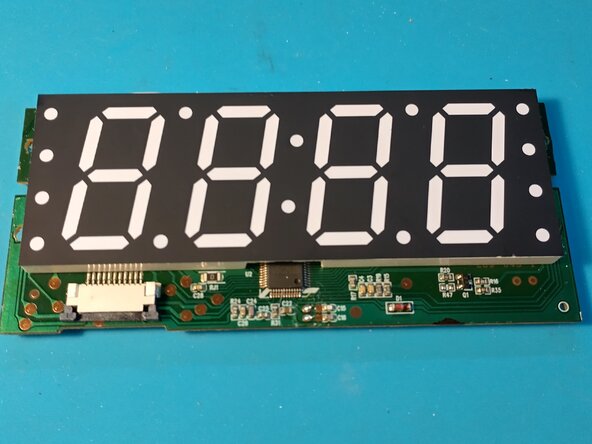
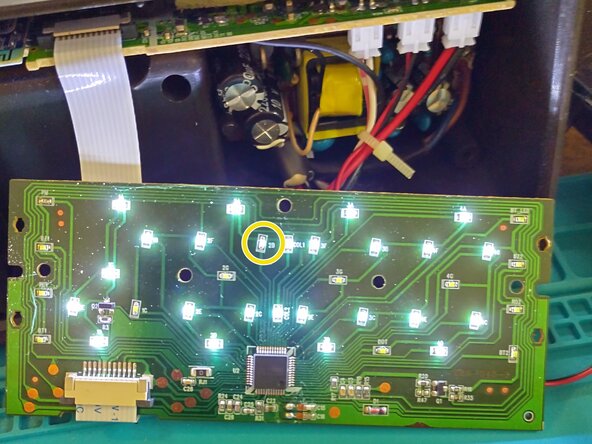
    • You can test the leds by plug in the flat cable. Be carefull of high voltage.

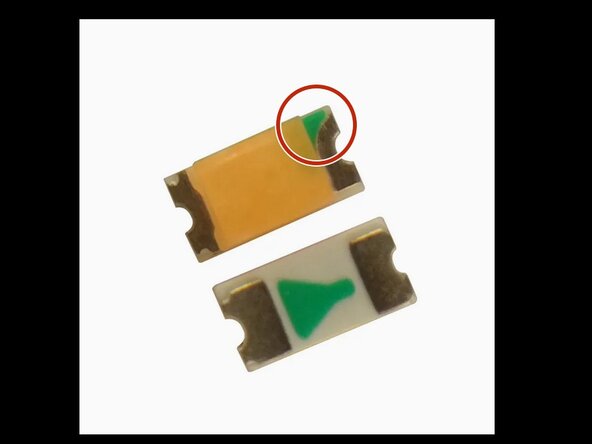
    • In my case, I had to replace the 2B led. Locate the green mark before unsoldering the led. Green mark goes to the driver chip.

    • To buy leds, search Internet with key words : white led smd 0603

    • Once done, you can try the led fix and reassemble the device.

終わりに

Pour réassembler votre appareil, suivez les instructions dans l'ordre inverse.
作成者

1人の作成者と共同作成されました。

Pierre Le Gargasson

メンバー登録日: 12/17/21

387 ポイント

3のガイドは作成済み

0件のガイドコメント

コメントを追加

統計データ:

過去 24時間: 0

過去 7 日: 1

過去 30 日: 5

今までの合計 84