メインコンテンツにスキップ

RCA 8 Apollo Screen Replacement

必要な工具と部品

  1. RCA 8 Apollo Screen Replacement, Back Panel: 手順 1、 1の画像 1
    • Before you begin, discharge your tablet battery below 25%. A charged lithium-ion battery can catch fire and/or explode if accidentally punctured.

    • Power off your tablet before beginning to disassemble.

  2. RCA 8 Apollo Screen Replacement: 手順 2、 2の画像 1 RCA 8 Apollo Screen Replacement: 手順 2、 2の画像 2
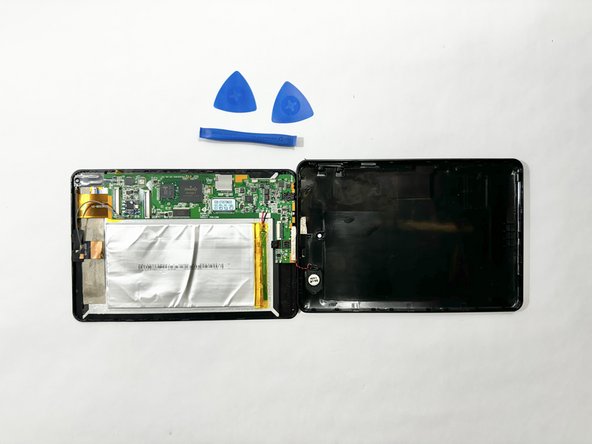
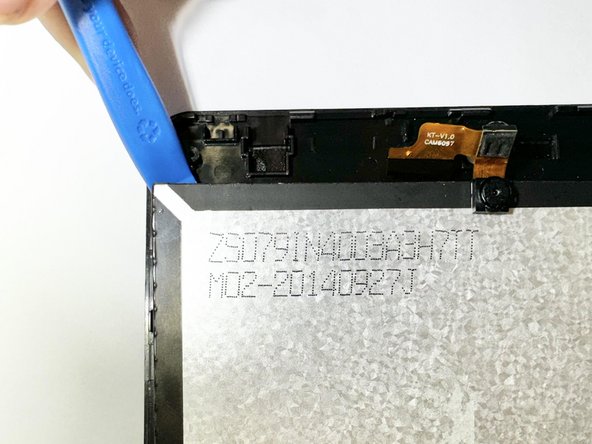
    • Insert an iFixit opening tool into the gap between the tablet and back panel.

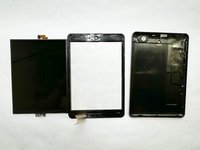
    • Using a combination of iFixit opening tools and iFixit opening picks, pry the tablet upward around its perimeter to release it from the plastic rear case.

    • If inserted too far, an opening pick can damage your device. It is helpful to mark the edge with an opening pick, or opening tool at a depth that will not damage the inner contents of the tablet.

  3. RCA 8 Apollo Screen Replacement: 手順 3、 2の画像 1 RCA 8 Apollo Screen Replacement: 手順 3、 2の画像 2
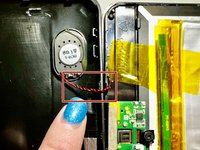
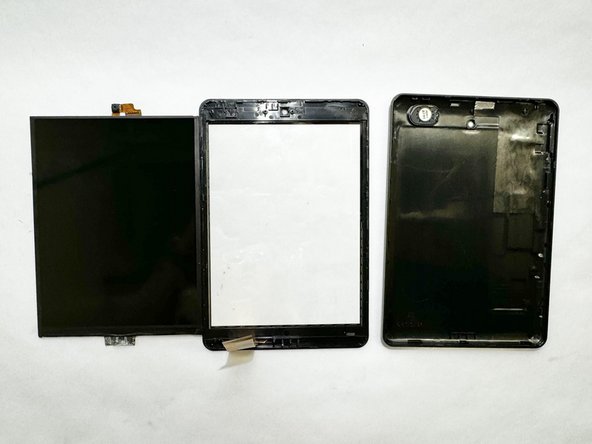
    • Disconnect the red and black speaker wires from the tablet.

    • The front and back of the tablet will be disconnected.

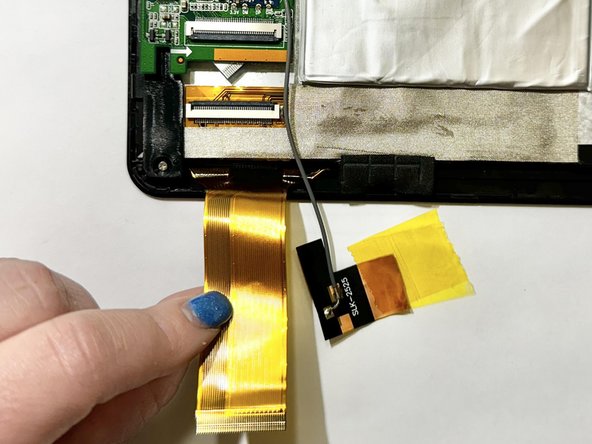
  4. RCA 8 Apollo Screen Replacement, Display Assembly: 手順 4、 3の画像 1 RCA 8 Apollo Screen Replacement, Display Assembly: 手順 4、 3の画像 2 RCA 8 Apollo Screen Replacement, Display Assembly: 手順 4、 3の画像 3
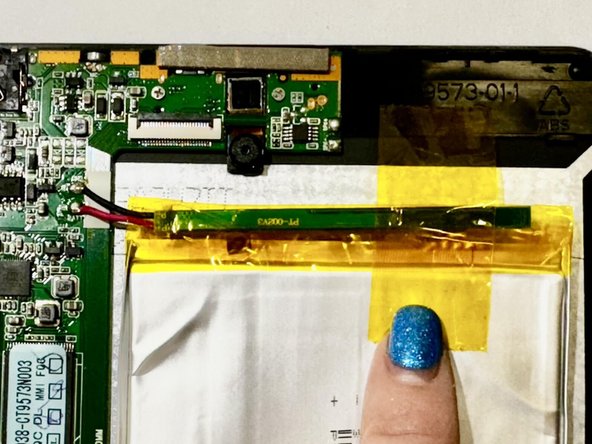
    • Release the gold and black tab from the battery that's attached to a gray wire. The gold tab is held down by an adhesive; pull it until the adhesive releases.

    • Remove the yellow tape that is around the battery.

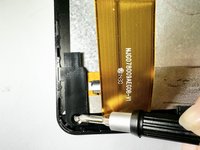
    • Unlock the ZIF socket and detach the display data interconnect cable from the front panel assembly.

    • If the connector is misaligned, the pins can bend, causing permanent damage.

  5. RCA 8 Apollo Screen Replacement: 手順 5、 1の画像 1
    • Remove the three screws from the motherboard using a Phillips screwdriver.

  6. RCA 8 Apollo Screen Replacement: 手順 6、 1の画像 1
    • Remove the battery and motherboard together from the tablet.

    • If the tablet needs a battery replacement, disconnect the battery and replace it with a new one.

    • The battery might be glued down; you will just need to slowly remove the battery as the adhesive releases.

  7. RCA 8 Apollo Screen Replacement, Screen: 手順 7、 3の画像 1 RCA 8 Apollo Screen Replacement, Screen: 手順 7、 3の画像 2 RCA 8 Apollo Screen Replacement, Screen: 手順 7、 3の画像 3
    • Remove the screw from the bottom left of the tablet.

    • Place an opening tool under the screen.

    • Pry up the screen and it will unclip from the clips holding the screen down.

    • Avoid using too much force to prevent the glass from breaking.

終わりに

To reassemble your device, follow these instructions in reverse order.

作成者

1人の作成者と共同作成されました。

McKenna Shipper

メンバー登録日: 04/12/24

123 ポイント

1ガイドが承認済み

チーム

Casper College, Team 1-1, Lareau Spring 2024 Casper College, Team 1-1, Lareau Spring 2024人のメンバー

CASC-LAREAU-S24S1G1

3 メンバー

4のガイドは作成済み

0件のガイドコメント

コメントを追加

統計データ:

過去 24時間: 2

過去 7 日: 5

過去 30 日: 9

今までの合計 117