メインコンテンツにスキップ
リペアコミュニティに参加 - アカウントの作成

Power Mac G5 Top Left Cooling Fan Unit Replacement

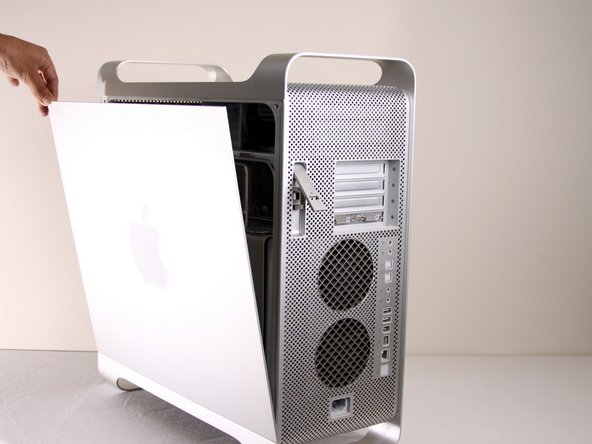
  1. Power Mac G5 Top Left Cooling Fan Unit Replacement, Side Panel: 手順 1、 1の画像 1
    • To avoid electrocution, shut down the computer. Do not open the computer or attempt to install any items inside it while the computer is on.

    • To avoid being burned, wait at least 10 minutes to allow the computer's internal components to cool.

    FixBotに聞いてみる

    コメントを追加

  2. Power Mac G5 Top Left Cooling Fan Unit Replacement: 手順 2、 1の画像 1
    • Remove all the cables, including the power cables before opening the unit.

    FixBotに聞いてみる

    コメントを追加

  3. Power Mac G5 Top Left Cooling Fan Unit Replacement: 手順 3、 2の画像 1 Power Mac G5 Top Left Cooling Fan Unit Replacement: 手順 3、 2の画像 2
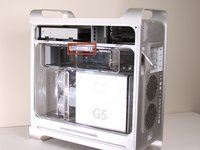
    • Lift the tab to unlock the side panel.

    • The panel should fall out. If the panel does not fall out by itself pull a little from the edges.

    FixBotに聞いてみる

    コメントを追加

  4. Power Mac G5 Top Left Cooling Fan Unit Replacement: 手順 4、 3の画像 1 Power Mac G5 Top Left Cooling Fan Unit Replacement: 手順 4、 3の画像 2 Power Mac G5 Top Left Cooling Fan Unit Replacement: 手順 4、 3の画像 3
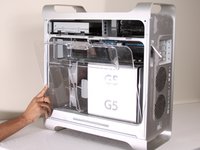
    • Remove the air deflector (the clear plastic cover) by pulling on the handle.

    FixBotに聞いてみる

    コメントを追加

  5. Power Mac G5 Top Left Cooling Fan Unit Replacement, Top Left Cooling Fan Unit: 手順 5、 1の画像 1
    • Locate the top left cooling fan unit.

    FixBotに聞いてみる

    コメントを追加

  6. Power Mac G5 Top Left Cooling Fan Unit Replacement: 手順 6、 1の画像 1
    • Pull the fan straight out from its slot. You will need to remove two cables from the motherboard.

    • It may be easier to reach the cables if you remove the PCI guide (next to the fan unit) first.

    FixBotに聞いてみる

    コメントを追加

  7. Power Mac G5 Top Left Cooling Fan Unit Replacement: 手順 7、 1の画像 1
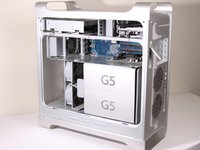
    • After pulling out the fan unit, the area should look like this.

    FixBotに聞いてみる

    コメントを追加

終わりに

To reassemble your device, follow these instructions in reverse order.

キャンセル: このガイドを終了できませんでした。

20 の人々がこのガイドを完成させました。

作成者

7人の作成者と共同で作成されました。

Salvador Aguilar

メンバー登録日: 01/21/10

2,550 ポイント

3のガイドは作成済み

チーム

Cal Poly, Team 5-8, Forte Winter 2010 Cal Poly, Team 5-8, Forte Winter 2010人のメンバー

CPSU-FORTE-W10S5G8

7 メンバー

30のガイドは作成済み

1件のガイドコメント

Actually you do need to remove the plastic air deflector, as the fan in question is behind it.

Tim downing - 返信 共有

コメントを追加

統計データ:

過去 24時間: 3

過去 7 日: 21

過去 30 日: 62

今までの合計 19,988