メインコンテンツにスキップ
リペアコミュニティに参加 - アカウントの作成

Pantech Matrix Keypad Replacement

必要な工具と部品

  1. Pantech Matrix Keypad Replacement, Phone Orientation: 手順 1、 1の画像 1
    • Place phone with screen side facing toward you.

    FixBotに聞いてみる

    コメントを追加

  2. Pantech Matrix Keypad Replacement, Phone Orientation: 手順 2、 1の画像 1
    • Flip phone over so screen side is now facing down.

    FixBotに聞いてみる

    コメントを追加

  3. Pantech Matrix Keypad Replacement, Remove Back Cover: 手順 3、 2の画像 1 Pantech Matrix Keypad Replacement, Remove Back Cover: 手順 3、 2の画像 2
    • Gently slide the backside phone cover off exposing the battery underneath.

    FixBotに聞いてみる
    コメントを追加

  4. Pantech Matrix Keypad Replacement, Lift Battery: 手順 4、 1の画像 1
    • Carefully lift the battery up from where the spudger is pointed.

    FixBotに聞いてみる
    コメントを追加

  5. Pantech Matrix Keypad Replacement, Remove Battery: 手順 5、 1の画像 1
    • Remove the battery from its dock.

    FixBotに聞いてみる

    コメントを追加

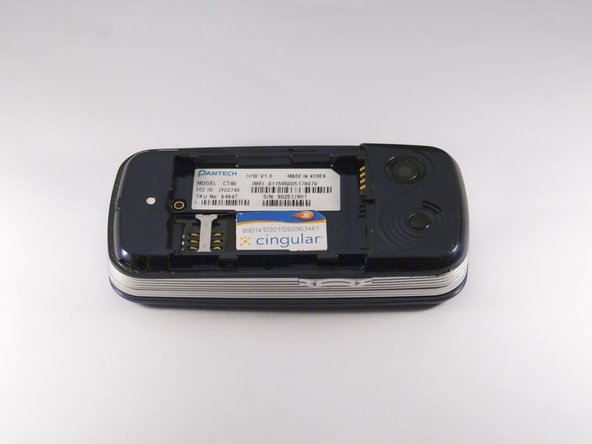
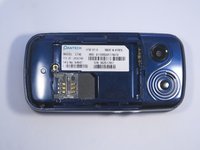
  6. Pantech Matrix Keypad Replacement, Slide SIM Card Out: 手順 6、 3の画像 1 Pantech Matrix Keypad Replacement, Slide SIM Card Out: 手順 6、 3の画像 2 Pantech Matrix Keypad Replacement, Slide SIM Card Out: 手順 6、 3の画像 3
    • Slide the SIM Card out of its dock.

    FixBotに聞いてみる

    コメントを追加

  7. Pantech Matrix Keypad Replacement, Remove Phone Screws: 手順 7、 2の画像 1 Pantech Matrix Keypad Replacement, Remove Phone Screws: 手順 7、 2の画像 2
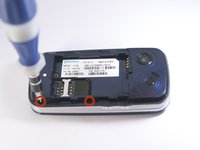
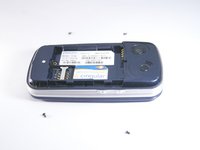
    • Use a Phillips screwdriver to remove the four 2mm Phillips #000 screws from each corner of the device.

    FixBotに聞いてみる

    コメントを追加

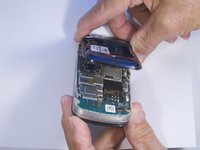
  8. Pantech Matrix Keypad Replacement, Remove Phone Casing: 手順 8、 2の画像 1 Pantech Matrix Keypad Replacement, Remove Phone Casing: 手順 8、 2の画像 2
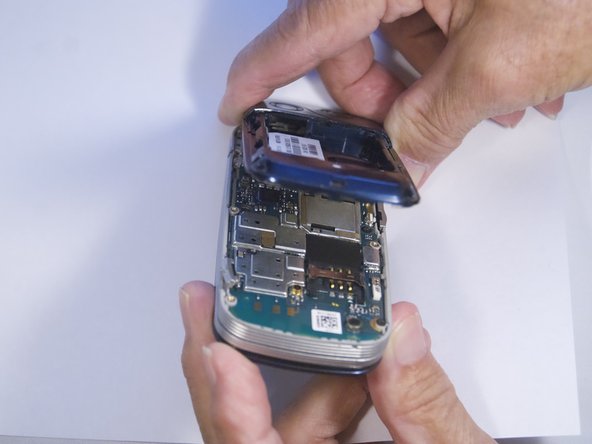
    • Rotate the phone so the base is facing you.

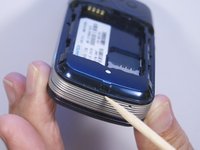
    • Use spudger to separate phone casing and inside as shown.

    • Remove the casing carefully and set aside.

    FixBotに聞いてみる

    コメントを追加

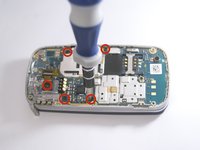
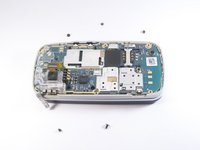
  9. Pantech Matrix Keypad Replacement, Remove Camera Screws: 手順 9、 2の画像 1 Pantech Matrix Keypad Replacement, Remove Camera Screws: 手順 9、 2の画像 2
    • Place phone with exposed motherboard facing you.

    • Use a Phillips screwdriver to remove the five 2mm Phillips #000 screws holding the camera in place.

    FixBotに聞いてみる

    コメントを追加

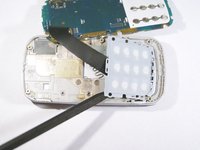
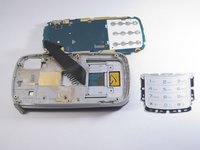
  10. Pantech Matrix Keypad Replacement, Expose Keypad: 手順 10、 1の画像 1
    • Carefully lift up the motherboard to expose the back of the keypad.

    FixBotに聞いてみる

    コメントを追加

  11. Pantech Matrix Keypad Replacement, Remove Keypad: 手順 11、 2の画像 1 Pantech Matrix Keypad Replacement, Remove Keypad: 手順 11、 2の画像 2
    • Use spudger to gently pry the keypad away from the rest of the phone.

    FixBotに聞いてみる

    コメントを追加

終わりに

To reassemble your device, follow these instructions in reverse order.

キャンセル: このガイドを終了できませんでした。

ある他の人がこのガイドを完成しました。

作成者

3人の作成者と共同で作成されました。

Zeel Patel

メンバー登録日: 10/13/14

1,096 ポイント

9のガイドは作成済み

0件のガイドコメント

コメントを追加

統計データ:

過去 24時間: 1

過去 7 日: 2

過去 30 日: 33

今までの合計 433