メインコンテンツにスキップ
リペアコミュニティに参加 - アカウントの作成

Palm IIIc Screen Replacement

必要な工具と部品

  1. Palm IIIc Screen Replacement, Removing broken LCD screen: 手順 1、 1の画像 1
    • Keep track of all pieces removed from the device.

    • Gently pull off the device cover. The cover snaps on and off easily where the cover attaches to the Palm IIIc device

    FixBotに聞いてみる
  2. Palm IIIc Screen Replacement: 手順 2、 1の画像 1
    • Using a Phillips head screwdriver, take out the four screws on the back of the device. You may have to pull them out with your hands once they are unscrewed.

    • There will be two long screws and two short screws. The long screws come from the top of the device, and the short screws come from the bottom of the device.

    FixBotに聞いてみる
  3. Palm IIIc Screen Replacement, Remove the Front and Back Covers: 手順 3、 1の画像 1
    • Using a spudger, carefully pry open the front and back covers along the side seam.

    • A small sensor cover will fall out when the front and back covers are removed. Keep track of it.

    FixBotに聞いてみる
  4. Palm IIIc Screen Replacement, Screen: 手順 4、 1の画像 1
    • Unhook the battery cable from the motherboard and remove the battery.

    FixBotに聞いてみる
  5. Palm IIIc Screen Replacement: 手順 5、 2の画像 1 Palm IIIc Screen Replacement: 手順 5、 2の画像 2
    この手順で使用する道具:
    Tweezers
    $4.99
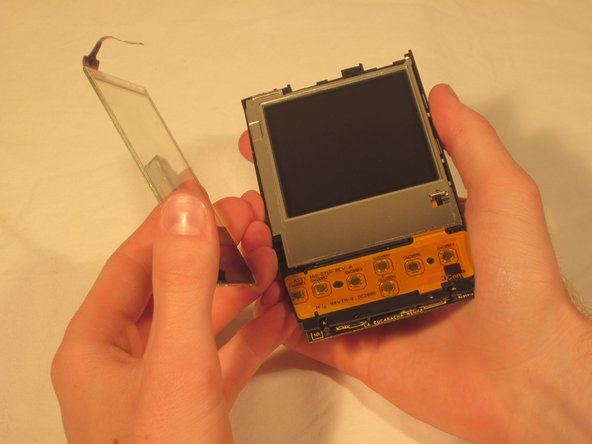
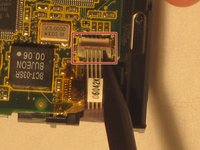
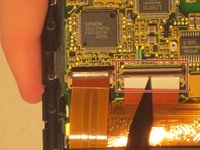
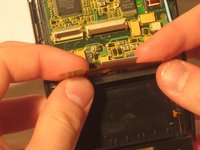
    • On the back of the motherboard use tweezers to pull up the ZIF connector which looks like a brown plastic tab.

    • Once the ZIF connector is unattached, remove the clear screen cover.

    FixBotに聞いてみる
  6. Palm IIIc Screen Replacement: 手順 6、 1の画像 1
    • Using tweezers unhook the blue and red screen cables where they connect to the motherboard.

    FixBotに聞いてみる
  7. Palm IIIc Screen Replacement: 手順 7、 3の画像 1 Palm IIIc Screen Replacement: 手順 7、 3の画像 2 Palm IIIc Screen Replacement: 手順 7、 3の画像 3
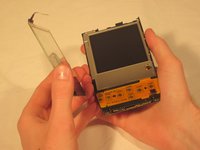
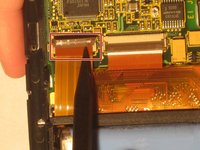
    • Using tweezers, pull up the other two ZIF connector tabs.

    FixBotに聞いてみる
  8. Palm IIIc Screen Replacement: 手順 8、 1の画像 1
    • Gently pull the black clips on the inside case to detach the motherboard from the device. Pull the motherboard out towards the bottom left corner.

    FixBotに聞いてみる
  9. Palm IIIc Screen Replacement: 手順 9、 1の画像 1
    • Pull the screen out from the front.

    FixBotに聞いてみる
終わりに

To reassemble your device, follow these instructions in reverse order.

ある他の人がこのガイドを完成しました。

作成者

6人の作成者と共同で作成されました。

Paulina Trujillo

メンバー登録日: 04/07/11

286 ポイント

8のガイドは作成済み

チーム

Cal Poly, Team 20-69, Walters Spring 2011 Cal Poly, Team 20-69, Walters Spring 2011人のメンバー

CPSU-WALTERS-S11S20G69

5 メンバー

8のガイドは作成済み

0件のガイドコメント

コメントを追加

統計データ:

過去 24時間: 1

過去 7 日: 5

過去 30 日: 55

今までの合計 1,326